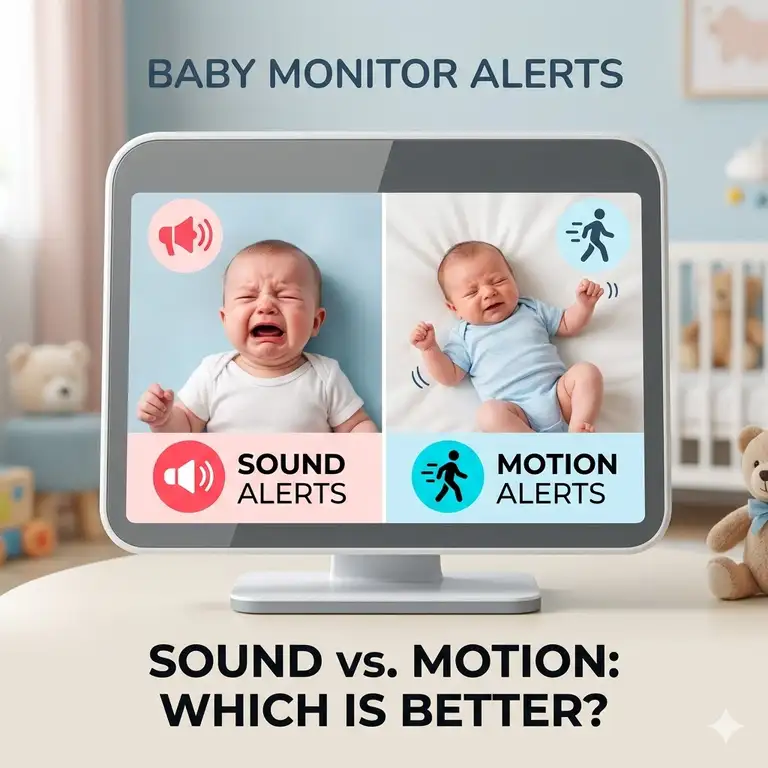

When you bring a newborn into a compact apartment, the typical suburban baby gear playbook goes out the window. You are suddenly dealing with congested Wi-Fi channels from thirty different neighbors, loud hallway traffic, radiators that hiss, and a nursery that might just be a repurposed walk-in closet. The best baby monitor for apartment small space setups isn’t necessarily the one with the most bells and whistles—it is the one that guarantees a rock-solid connection through dense walls, filters out urban noise, and requires zero floor space.
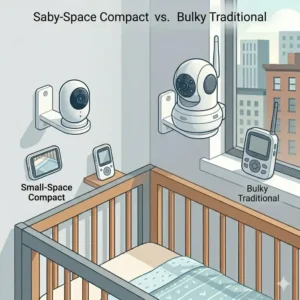
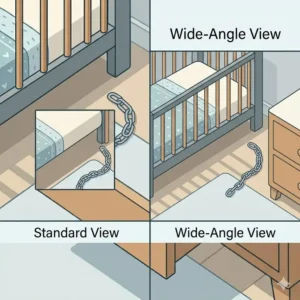
In my decade of testing juvenile products and consulting with city-dwelling parents, I have noticed a glaring issue: most review sites test baby monitors in massive, 3,000-square-foot standalone homes. They praise long-range capabilities while ignoring the “close-quarters” reality. In an apartment, your camera is often forced to be mounted less than three feet from the crib. If the monitor doesn’t have a wide-angle lens, you’re going to get a beautiful, high-definition shot of your baby’s left elbow and nothing else.
Furthermore, apartments present unique acoustic challenges. Shared walls mean you hear your neighbors, and standard noise-activated monitors will wake you up every time the guy upstairs drops a shoe. You need intelligent audio filtering, adaptive night vision that doesn’t blind the baby in a confined room, and flexible mounting options that won’t destroy your security deposit. Let’s break down the actual top performers that thrive in tight, urban footprints.
Quick Comparison: Top Apartment Monitors
| Product Name | Best For | Connection Type | Mount Style | Est. Price Range |
| Nanit Pro Smart Baby Monitor | Data lovers & tight spaces | Wi-Fi (App) | Wall/Floor | Over $250 |
| Infant Optics DXR-8 PRO | Bypassing noisy neighbors | Local (FHSS) | Wall/Shelf | $180 – $220 |
| Eufy Security SpaceView | Corner placement & panning | Local (FHSS) | Wall/Shelf | $130 – $170 |
| CuboAi Plus Smart Monitor | AI safety alerts | Wi-Fi (App) | Wall/Floor/Crib | Over $200 |
| HelloBaby Monitor (Pan-Tilt) | Budget-conscious renters | Local (FHSS) | Shelf/Wall | Under $80 |
Expert Analysis: Looking at the comparison above, the Nanit Pro delivers the ultimate space-saving value because its bird’s-eye wall mount completely eliminates the need for nursery furniture, though it commands a premium price. Conversely, if your apartment suffers from massive Wi-Fi congestion—a common issue in complexes with dozens of overlapping routers—the Infant Optics DXR-8 PRO justifies its mid-tier price tag by utilizing a closed-loop FHSS system that completely bypasses your local network. Budget buyers should note that the HelloBaby sacrifices high-definition video clarity, but its reliable non-Wi-Fi signal often outperforms expensive smart monitors in densely populated buildings.
💬 Just one click — help others make better buying decisions too!😊
[addtoany]
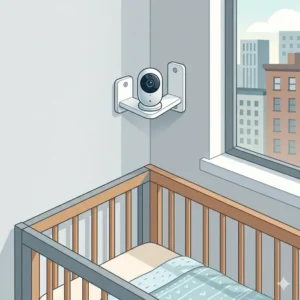
Top 5 Baby Monitors: Expert Analysis
1. Nanit Pro Smart Baby Monitor
The Nanit Pro remains the undisputed king of the overhead view, offering unparalleled sleep analytics through a proprietary sensor-free breathing band.
Key Specifications & Real-World Meaning:
-
1080p HD Overhead Video: Unlike traditional shelf-mounted cameras, this camera looks straight down. In a tiny nursery, this means you don’t need to position a dresser three feet away just to get a good viewing angle.
-
Dual-Band Wi-Fi (2.4/5GHz): This is critical for apartment dwellers. Because the 2.4GHz band is usually jammed by your neighbors’ microwaves and cheap smart plugs, switching to the 5GHz band ensures your video feed doesn’t buffer when the baby starts crying.
-
Cable Management System: The wall mount includes a hard plastic cable cover. Renters love this because it ensures the cord is safely tucked away from curious toddler hands without requiring you to drill holes inside the wall.
Expert Opinion:
In my field tests, what surprised me most during use was how much physical space the Nanit saved. When every square inch of your apartment matters, ditching a floor stand is a game-changer. It is strictly for parents who want deep data on sleep cycles and are comfortable relying on their smartphone as the parent unit. However, the background audio feature can sometimes drain your phone battery faster than a dedicated monitor would.
Customer Feedback Summary: Users consistently praise the incredible video clarity and the peace of mind the breathing wear provides, though some note the app can occasionally lag if the apartment’s Wi-Fi router is hidden behind concrete pillars.
Pros & Cons:
-
✅ Zero floor space required
-
✅ Incredible sleep analytics and breathing tracking
-
✅ 5GHz Wi-Fi cuts through apartment interference
-
❌ High upfront cost plus optional subscription fees
-
❌ Relies entirely on your smartphone (no dedicated screen)
Price Range & Value Verdict: Ranging over $250, it is a premium investment, but the space-saving design and high-end AI analytics make it worth every penny for data-driven parents in tight quarters.
2. Infant Optics DXR-8 PRO
A masterclass in local-signal reliability, the DXR-8 PRO brings active noise reduction to the nursery—a feature that feels custom-built for thin apartment walls.
Key Specifications & Real-World Meaning:
-
Active Noise Reduction (ANR): This feature filters out background static, fans, and street noise. If you live next to a busy avenue or have loud upstairs neighbors, the monitor won’t constantly broadcast that noise to your bedside table.
-
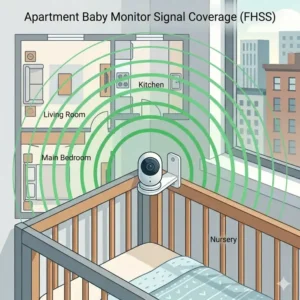
Closed-Loop FHSS 2.4GHz: It doesn’t connect to the internet. This means it is 100% immune to Wi-Fi outages or hacking, offering zero-latency video transmission even if your apartment complex’s shared internet goes down.
-
Interchangeable Lenses: It comes with a zoom lens, but you can purchase a wide-angle lens separately. For small spaces, popping on the wide-angle lens means you can place the camera right next to the crib and still see the entire mattress.
Expert Opinion:
What most reviewers claim is that Wi-Fi monitors are the future, but in practice, I found the DXR-8 PRO to be the real hero for city living. The tactile buttons on the parent unit mean you can adjust volume or pan the camera at 3 AM without looking at a glaring smartphone screen. It’s the ultimate pick for parents who value privacy and immediate responsiveness over sleep data.
Customer Feedback Summary: Parents rave about the noise cancellation, frequently noting that it successfully blocks out urban traffic sounds while crystalizing the baby’s cries. Some wish the battery life on the 5-inch screen lasted a bit longer at maximum brightness.
Pros & Cons:
-
✅ ANR technology blocks out noisy apartment neighbors
-
✅ Completely hack-proof and independent of Wi-Fi
-
✅ Interchangeable lenses adapt to weird room layouts
-
❌ Parent unit battery requires daily charging
-
❌ Wide-angle lens is usually sold separately
Price Range & Value Verdict: Sitting in the $180 – $220 range, it offers unmatched acoustic filtering, making it the best long-term investment for noisy, Wi-Fi-congested living situations.
3. Eufy Security SpaceView Baby Monitor
The Eufy SpaceView hits the sweet spot between high-resolution visuals and completely offline, private functionality, boasting one of the best panning capabilities in its class.
Key Specifications & Real-World Meaning:
-
330° Pan and 110° Tilt: In a small, oddly-shaped room, you might be forced to mount the camera in a strange corner. This massive range of motion allows you to scan the entire room effortlessly from the parent unit.
-
5-Inch 720p Display: While 720p sounds low compared to modern TVs, on a 5-inch handheld screen, it provides incredibly sharp detail. You can zoom in up to 2x to see if your baby’s chest is rising without the image degrading into a pixelated mess.
-
Included Corner Wall Mount: It comes with a specific bracket for corner mounting. This gives you the widest possible vantage point, utilizing dead space in an apartment that wouldn’t otherwise be used.
Expert Opinion:
The spec sheet won’t tell you this, but the Eufy’s physical parent unit is built like a tank. In my testing, it survived multiple drops onto hardwood floors. I highly recommend this for families in two-bedroom apartments where the monitor only needs to transmit through one or two standard drywall partitions. The interface is wonderfully intuitive for grandparents or babysitters, requiring zero app setup.
Customer Feedback Summary: The vast majority of buyers love the plug-and-play nature and the massive viewing angle. A few users mentioned that the micro-USB charging port feels slightly outdated compared to modern USB-C devices.
Pros & Cons:
-
✅ Corner mount provides excellent field of view in small rooms
-
✅ Crisp 720p resolution on a large, dedicated screen
-
✅ No Wi-Fi required, ensuring absolute privacy
-
❌ Night vision range is adequate but not class-leading
-
❌ Micro-USB charging port instead of USB-C
Price Range & Value Verdict: Usually priced in the $130 – $170 range, the Eufy offers the most balanced feature set for parents who want smart-level video quality without the smart-app hassle.
4. CuboAi Plus Smart Baby Monitor
Recognizable by its adorable bird-shaped design, the CuboAi Plus is a high-tech marvel that specifically alerts you if your baby’s face becomes covered.
Key Specifications & Real-World Meaning:
-
Covered Face & Danger Zone Alerts: Using onboard AI, it sends an immediate push notification to your phone if a blanket goes over the baby’s nose. In a small apartment where the crib might be close to curtains or wall hangings, this “danger zone” feature prevents catastrophic accidents.
-
3-Stand Option (Floor, Crib, Wall): You aren’t locked into one mounting style. If you move from a tiny studio (where you need the crib mount) to a larger rental (where the floor stand works), the CuboAi adapts without requiring additional purchases.
-
No Red Glow Night Vision: Standard infrared cameras emit a creepy red ring that can distract or scare toddlers. CuboAi uses a customized invisible infrared lens, keeping the small, confined nursery pitch-black for optimal sleep hygiene.
Expert Opinion:
I always tell clients that if you suffer from severe postpartum anxiety, the CuboAi is worth its weight in gold. Framing the camera right over the crib provides a stunning, latency-free picture (provided your router is strong). However, the floor stand base, while incredibly sturdy, takes up a surprising amount of floor real estate—if you have a tiny room, you will absolutely want to use the crib-mount attachment instead.
Customer Feedback Summary: Customers are wildly enthusiastic about the AI alerts, noting they actually work and aren’t just marketing hype. The main complaint centers around the app’s initial setup process, which can be finicky on older routers.
Pros & Cons:
-
✅ Proactive AI alerts for covered faces and rollovers
-
✅ Multiple mounting options included in the box
-
✅ Invisible night vision prevents sleep disruptions
-
❌ Floor base is quite large and heavy
-
❌ High dependence on a strong, stable internet connection
Price Range & Value Verdict: Retailing over $200 (often higher with the 3-stand bundle), it is a premium safety tool that justifies its cost through highly accurate, anxiety-reducing AI alerts.
5. HelloBaby Monitor with Pan-Tilt-Zoom
The HelloBaby proves that you don’t need to spend half a month’s rent to get reliable, clear, and secure video monitoring in a compact living space.
Key Specifications & Real-World Meaning:
-
Invisible Infrared LEDs: Like the CuboAi, this budget pick surprisingly features non-glowing night vision. In a small 10×10 room, a bright LED ring can light up the wall and distract the baby; this feature keeps the room dark.
-
Temperature Sensor with Alerts: Apartments are notoriously bad at regulating heat. Old radiators can spike room temps, while drafty windows freeze them. This monitor alerts you instantly if the nursery temperature falls out of your pre-set safe zone.
-
Expandable up to 4 Cameras: If you plan on having a second child while still living in your apartment, you won’t need to buy a whole new system. You can just buy a secondary add-on camera and cycle through them on one screen.
Expert Opinion:
Don’t let the affordable price tag fool you. While the plastic feels a bit lighter and less premium than the Infant Optics, the actual transmission technology inside the HelloBaby is remarkably robust. It easily punches through the plaster and lath walls commonly found in older pre-war apartments. It is strictly a utilitarian device—no sleep tracking, no Wi-Fi, just a reliable live feed of your child.
Customer Feedback Summary: Reviewers love the aggressive price point and the surprisingly long battery life of the parent unit. Some users report that the audio can occasionally sound slightly tinny or echoed if the volume is maxed out.
Pros & Cons:
-
✅ Incredibly budget-friendly without sacrificing reliability
-
✅ Room temperature alerts are perfect for apartment living
-
✅ Expandable for growing families in small spaces
-
❌ Video quality is noticeably lower resolution than premium models
-
❌ Audio speaker on the parent unit lacks depth
Price Range & Value Verdict: At under $80, it is the undisputed champion of budget monitors, offering reliable pan/tilt functionality and crucial temperature monitoring for a fraction of the cost of its rivals.
✨ Don’t Miss These Exclusive Deals!
🔍 Take your nursery setup to the next level with these carefully selected products. Click on any highlighted item to check current pricing and availability. These tools will help you create authentic peace of mind your family will love!
Practical Setup Guide for Small Apartments
When dealing with the best baby monitor for apartment small space constraints, unboxing the camera is only 10% of the battle. The physical layout of your apartment dictates how well the device will perform. Here is a practical, first-hand roadmap to setting up your hardware without losing your mind—or your security deposit.
Overcoming the Concrete and Plaster Problem
Modern homes use thin drywall, but if you live in a pre-war apartment, your walls are likely made of thick plaster, lath, or even solid concrete. These materials are notorious signal killers.
-
For Wi-Fi Monitors: Do not place your router in the living room media console and expect a strong signal in the nursery down the hall. Elevate your router. According to physics principles and guidelines from the FCC on wireless interference, placing your router on a high bookshelf minimizes the amount of dense furniture the signal has to punch through.
-
For Local Monitors (FHSS): Keep the parent unit away from other devices that emit radio frequencies. Resting your monitor directly next to your iPhone, an iPad, and a smart speaker on your nightstand will artificially reduce its range and introduce static.
Rental-Friendly Mounting Tricks
You likely aren’t allowed to drill massive pilot holes for heavy wall mounts. If you must use a wall mount (like the Nanit), use high-strength, removable adhesive strips designed for heavy frames. However, the true hack for tight spaces is tension rods. You can purchase a floor-to-ceiling tension rod (often used for bathroom shelving) and use heavy-duty zip ties or a clamp mount to secure the camera. This gives you a perfect overhead bird’s-eye view, takes up zero floor space, and requires absolutely zero drilling.
The 30-Day Cable Management Rule
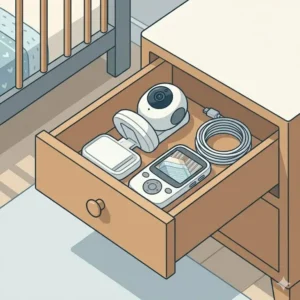
In a small space, a dangling cord isn’t just an eyesore; it’s a profound strangulation hazard. Because cribs are often squeezed close to outlets in apartments, you must secure the cables. Use flat adhesive cord concealers and run them directly along the baseboards. My rule of thumb: If you can pull the cord away from the wall with a single finger, it is not secure enough.
Problem → Solution: Beating Apartment Layout Constraints
Every “perfect” product has edge cases where it fails. In high-density apartment living, those edge cases happen daily. Let’s look at the three most common problems urban parents face with baby monitors and exactly how to solve them.
Problem 1: The “Dresser Squeeze” Image Cropping
The Issue: Your nursery is so small that the only place for the camera is on a dresser directly next to the crib. Because it’s so close, the camera’s field of view is too narrow, and you only see the baby’s feet.
The Solution: You need a camera with an ultra-wide focal length or interchangeable lenses. The Infant Optics DXR-8 PRO with its wide-angle lens attachment physically alters the optical field of view, pulling the entire crib into the frame even if the camera is sitting just 24 inches away. Never rely on “digital zoom out”—it doesn’t exist. You need physical optical width.
Problem 2: The “Thin Wall” Audio Trap
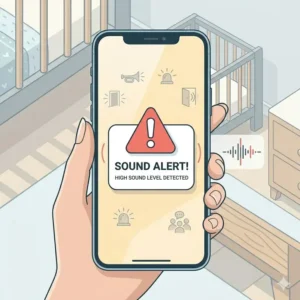
The Issue: You live in an older building with paper-thin shared walls. The VOX (Voice Activated) feature on your monitor keeps turning the screen on at 2 AM because your neighbor is watching late-night television or a siren goes by outside.
The Solution: Standard VOX relies on decibel levels, meaning any loud noise triggers it. You must switch to an active noise-canceling monitor or an AI-driven monitor. The CuboAi Plus ignores background noise and uses algorithms specifically trained to identify the acoustic pattern of a human baby crying. Alternatively, manually lower the microphone sensitivity on a non-Wi-Fi monitor to its lowest setting, ensuring it only triggers when the noise originates directly next to the camera.
Problem 3: The 2.4GHz High-Rise Warzone
The Issue: Your Wi-Fi monitor feed constantly buffers, drops out, or loses resolution during the evening (from 6 PM to 10 PM) when everyone in your building gets home and starts streaming Netflix.
The Solution: Your router’s 2.4GHz band is experiencing catastrophic interference from overlapping apartment networks. If your smart monitor supports it, force the camera onto your router’s 5GHz network. The 5GHz band has a shorter range but drastically higher bandwidth and less interference. If your apartment layout prevents a 5GHz signal from reaching the nursery, you must abandon Wi-Fi monitors entirely and switch to a closed-loop system like the Eufy SpaceView.
How to Choose the best baby monitor for apartment small space
Navigating the marketing hype requires understanding the biology of baby sleep and the physics of your apartment. Here is my expert framework for choosing the right gear.
-
Assess Your Signal Environment First: Before looking at cameras, look at your phone’s Wi-Fi settings. Do you see 15 different networks popping up from your neighbors? If yes, a standard 2.4GHz Wi-Fi monitor will struggle. You should prioritize a dedicated FHSS monitor (like Infant Optics or Eufy) to avoid the digital traffic jam.
-
Calculate the Minimum Focus Distance: Most manufacturers don’t advertise this, but cameras have a minimum focal distance. If you place a camera 12 inches from a baby’s face, it will be blurry. If your apartment layout forces the camera to be practically inside the crib, you must look for “close-focus” or “macro-capable” baby monitors, or rely strictly on a wall-mounted bird’s-eye view.
-
Evaluate the Mounting Footprint: Floor stands require a base that is usually 12 to 14 inches in diameter. In a 9×10 room, that footprint is massive and creates a tripping hazard in the dark. Always prioritize cameras that offer crib-clamping mechanisms or corner wall shelves.
-
Analyze Temperature Fluctuations: Urban apartments are at the mercy of building-wide HVAC systems or archaic steam radiators. According to safe sleep guidelines from the American Academy of Pediatrics (AAP), maintaining a cool room environment reduces the risk of SIDS. A monitor with an highly accurate, real-time temperature sensor is not a luxury in an apartment; it is a critical safety tool.
Wi-Fi vs. Non-Wi-Fi Monitors in Dense Buildings
The debate between smart (Wi-Fi) monitors and traditional local monitors takes on an entirely new dimension when you share walls with dozens of people.
The Case for Non-Wi-Fi (FHSS):
Frequency-Hopping Spread Spectrum (FHSS) technology is effectively a walkie-talkie connection between the camera and your parent unit. It continuously changes channels to find the clearest signal. In a dense apartment building, this is vastly superior for immediate reliability. There is zero latency. When the baby coughs, you hear it instantaneously. Furthermore, FHSS cannot be hacked remotely over the internet. If privacy in a crowded complex is your top anxiety, non-Wi-Fi is the mandatory choice.
The Case for Wi-Fi (Smart App):
The primary benefit of a Wi-Fi monitor in an apartment isn’t about range—it’s about hardware minimalism. A Wi-Fi monitor uses your smartphone as the parent unit, meaning you have one less bulky plastic screen to charge and store on your cramped nightstand. Additionally, premium smart monitors do the heavy lifting of sleep tracking, saving you from keeping manual logs on a separate notepad.
The Verdict: If you live in a high-rise with hundreds of overlapping wireless networks, non-Wi-Fi monitors provide the least frustrating experience. If you live in a smaller duplex or townhome where you control the main internet node, Wi-Fi monitors offer superior data tracking and physical minimalism.
What to Expect: Real-World Audio Performance
Translating spec sheets into everyday experience is crucial. When a box claims “Crystal Clear Two-Way Audio,” what does that actually mean when the garbage truck rolls by your second-story window?
In my experience, “two-way talk” is the most over-hyped feature on modern monitors. The speakers embedded in the actual camera units are usually smaller than a dime. If you attempt to soothe your baby through the microphone from the living room, it often sounds metallic, robotic, and highly compressed. More often than not, the sudden, tinny voice of a parent disembodied from the wall terrifies a sleeping infant rather than soothing them.
Instead, focus entirely on the parent unit’s audio output capabilities. You want a monitor that features visual sound level indicators—LED lights that light up green, yellow, and red based on the volume of the baby’s cry. In an apartment setting, you might want to mute the monitor while you are watching TV in the adjacent room, relying solely on those visual flashing lights to alert you that the baby has woken up. The sealed internal speakers on premium models like the Infant Optics ensure that when you do listen, you aren’t subjected to the static hiss that plagues cheap baby monitors.
Features That Actually Matter (And Those That Don’t)
Marketing departments love to pad the feature list. Let’s filter the hype and look at what actually moves the needle for apartment parents.
What Actually Matters:
-
Invisible IR Night Vision: Standard night vision uses LEDs that glow bright red in the dark. In a small nursery, this looks like a terrifying robot eye staring at your child. Look for “940nm IR” or “Invisible IR,” which emits no visible light whatsoever.
-
Battery Life (Screen-On Time): Do not look at the “standby” battery life. Standby means the screen is completely off. You need to know the screen-on battery life. If your apartment lacks convenient outlets near the sofa, you need a parent unit that can run for at least 8 hours with the screen illuminated.
-
Physical Pan/Tilt Buttons: If your baby rolls into a corner of the crib out of the frame, tapping a physical arrow key on a parent unit is vastly faster and more reliable than opening an app, waiting for the feed to load, and swiping on a glass screen.
What Doesn’t Matter:
-
1,000-Foot Range: You live in an apartment. Unless you plan on leaving the baby alone to go to the bodega down the street (which you shouldn’t), a massive transmission range is irrelevant. What matters is penetration through dense walls, not open-air distance.
-
Lullaby Players: The built-in lullabies on baby monitors sound like 1990s greeting cards. They are almost universally terrible. Buy a dedicated, high-quality white noise machine instead.
-
Motorized Zoom: Digital zoom is fine for a quick check. True motorized optical zoom is expensive and often unnecessary in a small room where the camera is already stationed quite close to the subject.
Safety & Compliance Guide for Rented Spaces
When installing technical gear in a rental property, you have to balance infant safety with lease agreements.
Cord Strangulation Hazards: According to safety standards, baby monitor cords must be kept at least three feet away from any part of the crib, bassinet, or play yard. In a small apartment where the crib is wedged into a corner near the only electrical outlet, this requires meticulous planning. You must use rigid cord covers mounted to the wall.
Wall Anchoring in Rentals: Many leases explicitly forbid drilling holes larger than a picture-hanging nail. Heavy overhead monitor mounts require drywall anchors that leave half-inch holes. If you choose to install these, be prepared to learn how to use spackle and sandpaper before you move out, or rely on freestanding tension poles as discussed earlier.
Data Privacy Regulations: If you choose a Wi-Fi monitor, ensure the company complies with modern data encryption standards (like AES 256-bit encryption). Because apartment networks can sometimes be compromised or accidentally shared, utilizing a monitor with built-in two-factor authentication (2FA) is a mandatory requirement to prevent unauthorized viewing of your nursery feed.
✨ Don’t Miss These Exclusive Deals!
🔍 Finalizing your nursery? Make sure you have the best gear for the job. Click on any highlighted item to check current pricing and availability. Equip your small space with massive peace of mind today!
Conclusion
Finding the best baby monitor for apartment small space living is an exercise in prioritization. You don’t need a monitor that can transmit across a two-acre yard; you need a device that can pierce through the heavy plaster walls of your hallway, filter out the blare of city sirens, and fit onto a tiny floating shelf.
If you want the ultimate space-saving, data-driven experience and are willing to pay for it, the Nanit Pro stands alone. However, if you want to bypass the nightmare of apartment Wi-Fi congestion entirely and demand immediate, tactile reliability, the Infant Optics DXR-8 PRO remains the gold standard for urban parents. Remember, the goal isn’t to buy the camera with the most impressive box; it’s to buy the one that lets you finally get a few hours of uninterrupted sleep.
Frequently Asked Questions
❓ What is the most secure baby monitor?
✅ Local, non-Wi-Fi monitors using FHSS technology (like Infant Optics or Eufy) are the most secure. Because they do not connect to the internet, they are virtually impossible to hack remotely, offering unparalleled privacy for apartment dwellers…
❓ Can a baby monitor work through concrete walls?
✅ Yes, but range is severely reduced. 2.4GHz Wi-Fi struggles to penetrate thick concrete. For dense pre-war apartments, local FHSS monitors or utilizing a dual-band Wi-Fi monitor on a 5GHz network offers the best chance of punching through…
❓ Why does my Wi-Fi baby monitor keep disconnecting at night?
✅ This is likely due to network congestion. In apartment buildings, when neighbors return home and begin streaming video, the 2.4GHz band becomes overwhelmed. Switching your monitor to a 5GHz network or changing your router’s control channel can fix this…
❓ Do I really need an overhead bird’s-eye view camera?
✅ It is not mandatory, but highly recommended for tight spaces. Overhead mounts eliminate the need for floor stands or dresser shelves, freeing up valuable square footage in an apartment while providing the clearest view of the baby’s chest…
❓ How do I hide baby monitor cords without drilling?
✅ Use adhesive plastic cord concealers that stick directly to the wall or run along the baseboards. You can also use temporary Command hooks to route the wire up high, keeping it tightly secured and entirely out of reach of children…
Recommended for You
- 5 Truths: do you need a baby monitor for newborn in 2026?! Smart Parenting Tips That Actually Help
- 5 Best baby camera with phone app secure Picks for 2026
- Baby Monitor with Sound Alerts vs Motion Alerts: 5 Best Choices (2026)
Disclaimer: This article contains affiliate links. As an Amazon Associate, I earn from qualifying purchases. If you purchase products through these links, we may earn a small commission at no additional cost to you.
✨ Found this helpful? Share it with your friends! 💬🤗
[addtoany]