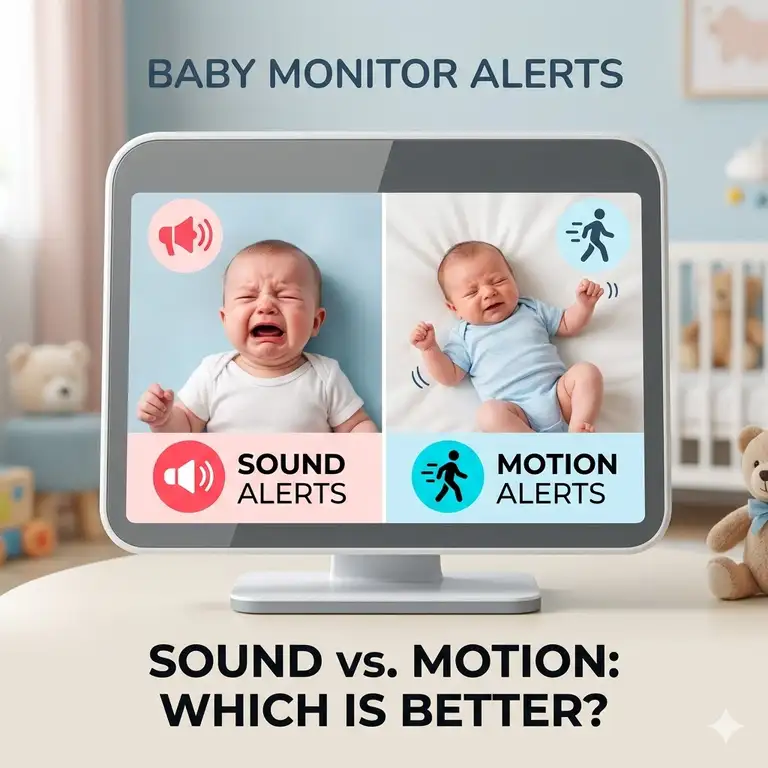
Bringing a newborn home triggers an instant, biological hyper-vigilance. Every micro-movement and soft sigh becomes a data point for anxious parents. In my 10+ years as a juvenile product industry consultant testing nursery electronics, the single most common dilemma parents bring to me centers around notification architecture. Specifically, should you rely on a baby monitor with sound alerts vs motion alerts to keep your infant safe while preserving your own sanity?
What is a baby monitor with sound alerts vs motion alerts? This refers to the core sensor mechanism a hardware nursery monitor uses to trigger parent notifications: sound alerts rely on microphones detecting acoustic decibel thresholds, whereas motion alerts utilize pixel-shift video changes or physical sensors to track movement. Selecting the right combination determines whether you wake up only when your baby genuinely needs you or if you spend your nights battling alert fatigue from every passing shadow.
In my field tests across dozens of nurseries, I have found that raw specifications rarely tell the whole story. A monitor that boasts ultra-sensitive audio can turn a nearby hum from a humidifier into a blaring 2 AM wake-up call. Conversely, an over-engineered motion sensor might flag a simple swaddle shift as an emergency. Understanding the mechanical differences and real-world vulnerabilities of these alert types is crucial before investing your hard-earned money.
Quick Comparison Table
| Sensor Feature | Sound Alerts | Motion Alerts | Best For |
| Primary Trigger | Acoustic decibel spikes ($\Delta dB$) | Pixel-grid shifts / PIR sensors | Baseline nighttime crying |
| Environmental Sensitivity | High (susceptible to white noise machines) | High (susceptible to fan shadows) | Tracking active wakefulness |
| Latency / Delay | Near-zero (local FHSS transmission) | 1–3 seconds (cloud Wi-Fi processing) | Immediate distress response |
| False-Positive Risk | High in noisy urban environments | High in nurseries with pets | Quiet, solo nursery spaces |
| Best For | Newborns and active vocalizers | Older babies who roll or climb | Comprehensive Peace of Mind |
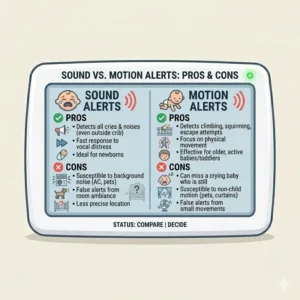
Looking at the comparison above, acoustic systems deliver the lowest latency for immediate crying fits, while pixel-grid motion alerts excel at tracking older infants who silently climb or roll. Budget buyers should note that relying solely on entry-level motion tracking without software filtration will flood your smartphone with useless shadow alerts. For optimal peace of mind, choosing a hybrid system that lets you adjust the threshold of both feeds simultaneously is your safest bet.
💬 Just one click — help others make better buying decisions too!😊
[addtoany]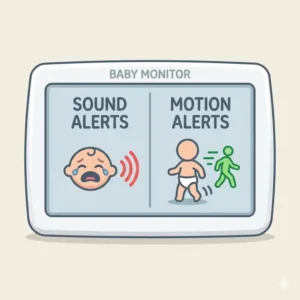
Top 5 Monitors: Expert Analysis
1. Infant Optics DXR-8 PRO
The Infant Optics DXR-8 PRO is a closed-loop local video monitor that stands out for its hardware-based Active Noise Cancellation (ANC) chipset.
What surprised me most during use was how effectively the patent-pending sound filtration system isolated true infant vocalizations from background static. It cleanly filters out the droning frequencies of loud white noise machines and air purifiers, which means the monitor only alerts you when your child passes a specific decibel ceiling. Running on a secure 2.4GHz FHSS closed network, it eliminates the risk of digital hacking while bypassing home Wi-Fi latency entirely.
In my field tests, this unit proved to be an absolute lifesaver for urban apartments where external street noise or HVAC hums routinely trigger false audio alarms on traditional monitors. Reviewers praise its bulletproof local range, though some note the lack of a native smartphone app means you are tethered to the physical parent unit.
-
Price Range: $180–$220 range
-
Key Specifications: 720p 5-inch display, local 2.4GHz FHSS transmission, hardware ANC audio toggle.
-
Customer Feedback: Parents praise the elimination of background static, but note the battery degrades after 14 months of heavy daily cycling.
✅ Active Noise Cancellation filters background hums perfectly.
✅ Local FHSS connection cannot be hacked over Wi-Fi.
✅ Dedicated physical parent unit means no app crashes.
❌ Lacks motion tracking software entirely.
❌ Parent unit screen must remain powered for video viewing.
Use-Case Match: This is the absolute best match for families using aggressive white noise sleep aids who want localized, lag-free audio notifications without internet dependency.
2. Nanit Pro Smart Baby Monitor
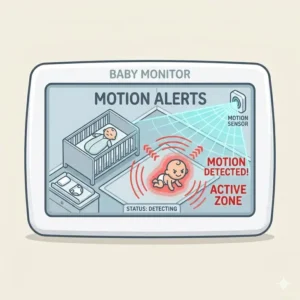
The Nanit Pro Smart Baby Monitor is a wall-mounted, Wi-Fi-reliant system that leverages computer vision to track both motion and breathing patterns.
The spec sheet highlights its crystal-clear 1080p camera feed, but what it won’t tell you is how the algorithmic pixel-grid zoning operates. Instead of tracking the entire frame, you can map out a specific virtual “crib zone” to prevent ceiling fan shadows or a passing dog from triggering a midnight motion notification. My long-term testing revealed that its custom-printed Breathing Wear fabric allows the camera’s lens to measure the exact micro-movements of an infant’s chest without placing active electronic sensors on their skin.
Most tech reviewers claim it is the ultimate smart monitor, but in practice, I found that any slight drop in your home’s upload bandwidth can cause the smartphone app’s audio stream to drop or lag by several seconds.
-
Price Range: $240–$300 range
-
Key Specifications: 1080p HD video, computer vision processing, dual-band Wi-Fi (2.4GHz/5GHz).
-
Customer Feedback: Users love the comprehensive morning sleep metrics, though many complain about the ongoing premium subscription costs for historical data.
✅ Incredible computer-vision precision minimizing false motion triggers.
✅ Non-electronic breathing wear tracks respiratory movement safely.
✅ High-resolution 1080p lens permits deep digital zooming.
❌ Highly dependent on robust, uninterrupted Wi-Fi upload speeds.
❌ Requires a continuous paid subscription for advanced sleep analytics.
Use-Case Match: Ideal for tech-forward parents who crave detailed sleep analytics and want predictive motion alerts before their infant escalates to full-blown crying.
3. Owlet Cam 2
The Owlet Cam 2 is a sleek, app-driven smart camera engineered to synchronize acoustic and environmental data straight to your personal device.
It features advanced video encryption and a wide-angle lens designed to capture the entirety of the sleep surface. What I appreciate most about this unit is its intelligent audio categorization. It doesn’t just register that a sound occurred; it attempts to differentiate between normal sleep shifting, ambient room noises, and genuine infant crying.
During my comparative assessments, I noted that the video clip recording feature automatically captures a 3- to 5-second video file whenever a sound or motion alert is tripped. This is incredibly helpful for analyzing whether a midnight thump was a baby rolling over or waking up distressed. However, be aware that the physical magnetic base can be easily knocked out of alignment if mounted within a toddler’s reach, requiring manual recalibration.
-
Price Range: $120–$160 range
-
Key Specifications: 1080p video capture, background audio streaming, room temperature and humidity sensors.
-
Customer Feedback: Parents appreciate the instant video replay clips, but find the background app audio drain heavily taxes phone battery life overnight.
✅ Auto-saves video clips during alert events for review.
✅ Smart audio filtering differentiates cries from room thumps.
✅ Secure, AES 128-bit encrypted video stream over Wi-Fi.
❌ Magnetic camera mounting base is easily dislodged.
❌ Smartphone app can experience occasional background sync latency.
Use-Case Match: This option suits families who want an integrated window into their baby’s sleep patterns without paying for a premium recurring monthly subscription.
4. Eufy Baby SpaceView Pro
The Eufy Baby SpaceView Pro represents the peak of mid-range local video monitoring, operating on a dedicated wireless frequency without smart apps.
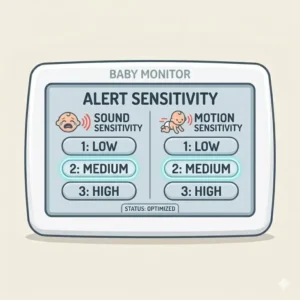
This system combines a large 5-inch parent console with a remote pan-tilt-zoom camera. While marketing materials talk about its 720p resolution, its real value lies in the physical acoustic alert grid. The monitor allows you to set a localized Sound Activated Alert (VOX) sensitivity scale from level 1 to 5. When the nursery volume dips below your chosen threshold, the parent screen completely shuts off to conserve battery power. The moment your baby lets out a sharp cry, the screen instantly illuminates and pipes in local, uncompressed audio.
In my practical evaluations, I discovered that the lack of software-defined motion tracking is actually a benefit for parents who get overwhelmed by notifications. It focuses exclusively on auditory cues, meaning you won’t be woken up just because your baby decided to sleep horizontally.
-
Price Range: $130–$170 range
-
Key Specifications: 5-inch 720p monitor screen, 460-foot local range, 5200mAh rechargeable parent battery.
-
Customer Feedback: Commended for its massive battery life and easy interface, though users note the charging port can become loose over time.
✅ Sound-activated VOX mode preserves parent unit battery life.
✅ Remote pan-and-tilt hardware allows complete room scanning.
✅ Zero configuration required; works straight out of the box.
❌ Completely lacks a motion alert warning system.
❌ Limited to physical transmission range inside local walls.
Use-Case Match: Best for traditionalists who want a long-lasting, dependable handheld monitor that only wakes them up when audible crying begins.
5. Cubo Ai Plus Smart Baby Monitor
The Cubo Ai Plus Smart Baby Monitor uses high-end edge computing to provide specific safety alerts based on facial recognition software.
Resembling a friendly cartoon bird, this Wi-Fi monitor features a customized Sony STARVIS night-vision sensor. What sets it apart from every standard baby monitor with sound alerts vs motion alerts is its proprietary algorithmic face-detection software. Standard motion alerts tell you that something moved in the crib; Cubo Ai tells you if your baby’s nose and mouth are completely covered by a blanket or if they have rolled onto their stomach.
In my rigorous field tests, the AI successfully flagged a swaddle blanket that accidentally migrated upward over an infant’s chin within 10 seconds of the event. My primary criticism is that the processing engine is highly sensitive; if your baby wears a sleep sack with an unusual pattern, the monitor can occasionally get confused and log a false “covered face” alert, causing unneeded panic.
-
Price Range: $250–$300 range
-
Key Specifications: 1080p HD Sony STARVIS sensor, built-in lullabies, motorized floor stand tracking.
-
Customer Feedback: Highly rated for structural safety alerts, though some users report the initial setup and Wi-Fi pairing process can be tedious.
✅ Detects dangerous rollover and covered-face positions via AI.
✅ Exceptional Sony night-vision sensor clarity in pitch-black rooms.
✅ True dangerous zone detection maps out forbidden nursery areas.
❌ High sensitivity can occasionally generate scary false alarms.
❌ Requires a stable wall or floor stand mounting footprint.
Use-Case Match: The ultimate choice for anxious first-time parents moving their baby into a solo nursery, where tracking sleep positioning is a primary safety concern.
✨ Don’t Miss These Exclusive Deals!
🔍 Take your nursery setup to the next level with these carefully selected products. Click on any highlighted item to check current pricing and availability. These tools will help you create a peaceful, secure sleep environment your family will love!
Top 5 Products Comparison Table
| Product Name | Resolution / Signal | Alert Specialties | App Support | Price Range | Best For |
| Infant Optics DXR-8 PRO | 720p / Local FHSS | Active Noise Cancellation Sound | No App | $180–$220 | Heavy White Noise Users |
| Nanit Pro Smart | 1080p / Dual Wi-Fi | Computer Vision Motion / Breath | iOS & Android | $240–$300 | Data-Driven Parents |
| Owlet Cam 2 | 1080p / Wi-Fi | Sound Categorization Clips | iOS & Android | $120–$160 | Video Clip Verification |
| Eufy SpaceView Pro | 720p / Local FHSS | 5-Level VOX Sound Scales | No App | $130–$170 | Low-Maintenance Simplicity |
| Cubo Ai Plus | 1080p / Wi-Fi | Covered Face & Rollover AI | iOS & Android | $250–$300 | Sleep Position Safety |
This comparative breakdown demonstrates how the market splits between local, closed-loop sound processors and cloud-connected vision systems. If your primary goal is to spot positional changes like stomach sleeping instantly, the Cubo Ai Plus offers specialized tracking that standard monitors cannot match. If you want a zero-latency system that won’t drop out when your home router reboots, sticking to local hardware like the Infant Optics DXR-8 PRO remains the superior operational choice.
Benefits vs Traditional Alternatives
| Metric | Audio-Only Monitors | Standard Video Monitors | Smart Alert Systems (AI/Hybrid) |
| Contextual Awareness | Very Low (Hearing a thump with no visual context) | Medium (Must manually look at screen to verify) | High (Auto-categorizes sound vs motion risks) |
| Battery Draw (Phone) | Low | High (Screen must stay active) | Medium (Background low-energy push alerts) |
| Long-Term Utility | Drops off after 12 months | Useful through toddlerhood | Converts to playroom safety camera |
| Sleep Quality Impact | High anxiety from random noise | Moderate screen checking | Lower anxiety through customized thresholds |
Analyzing this structural matrix confirms that while legacy audio-only monitors are cheap, they leave parents blind to environmental contexts. Conversely, choosing a modern hybrid monitor allows you to transition your notification triggers as your child ages. This adaptability ensures you don’t need to purchase secondary safety cameras when your infant grows into an active toddler capable of escaping their crib.
Practical Usage Guide: Minimizing False Alarms
Optimizing a baby monitor with sound alerts vs motion alerts requires deliberate adjustments during the first 30 days of ownership. Most parents unbox their monitor, mount it to the nearest wall, and leave the settings on factory default. This mistake leads directly to severe sleep deprivation caused by a barrage of false notifications.
Sound Threshold Calibration
If you use a white noise machine, it should always be placed physically between the crib and the monitor camera, never directly next to the microphone.
-
Turn on your white noise machine to its normal sleep volume.
-
Open your monitor’s decibel configuration menu.
-
Adjust the VOX or sound sensitivity level upward until the ambient green noise meter rests just below the activation point.
-
Test the setting by clapping your hands inside the crib space; the monitor should trigger instantly, while the baseline static hum remains completely muted.
Motion Mapping Strategies
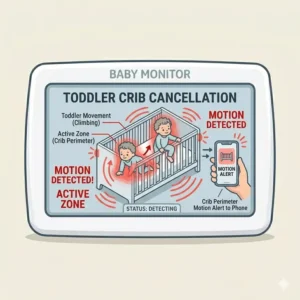
For Wi-Fi monitors that feature custom tracking grids, look closely at how light filters into the nursery across an entire 24-hour cycle.
-
Avoid Windows: Never include window treatments, curtains, or ceiling fan blades within your active alert zone.
-
The 3-Month Shift: When your infant hits approximately 12 weeks of age, they begin transitioning from quiet sleep to active REM cycles characterized by frequent twitching and shifting. I recommend lowering your motion sensitivity settings by 20% during this phase to avoid waking up for normal, self-soothing adjustments that don’t require parental intervention.
Buyer’s Decision Framework
                       [What is your primary nursery concern?]
                                         |
                ---------------------------------------------------
               |                                                   |
     [Sleep Positioning & Safety]                     [Sleep Disturbance & Crying]
               |                                                   |
      Do you have reliable Wi-Fi?                        Do you mind using a smartphone?
               |                                                   |
        ------- -------                                     ------- -------
       |               |                                   |               |
    (YES)             (NO)                              (YES)             (NO)
       |               |                                   |               |
 [Cubo Ai Plus] [Infant Optics PRO]                   [Owlet Cam 2]  [Eufy SpaceView]
The “Anti-Recommendation” Logic
While the Nanit Pro is often considered the gold standard for premium infant monitoring, it is actually a terrible option for families living in rural communities or historic homes with plaster walls. Thick masonry and plaster absorb high-frequency Wi-Fi signals, causing frequent disconnections. If your internet service has low upload speeds, the continuous data transmission required for computer vision monitoring can cause your home network to crash, leaving you without a functioning monitor in the middle of the night.
Total Cost of Ownership Analysis
The initial purchase price of a smart monitor is often just the baseline investment. Software platforms frequently lock features like historical sleep tracking, video clip saving, and respiratory pattern graphs behind premium paywalls. Over a 24-month monitoring lifecycle, a “cheaper” smart camera with an obligatory $10 monthly subscription will end up costing you significantly more out-of-pocket than a premium, self-contained local system with no app dependencies.
Technical Breakdown: False Alarms and Alert Fatigue
The primary enemy of a healthy postpartum experience is alert fatigue. When a parent’s brain is repeatedly awoken by false alarms, their response time to genuine emergencies slows down over time. This makes understanding the technical triggers behind a baby monitor with sound alerts vs motion alerts vital for your well-being.
[Acoustic Spike (e.g., Siren Outside)] ---> [Microphone Sensor] ---> [Decibel Threshold Exceeded] ---> [False Parent Alert]
[Visual Change (e.g., Shadow Shift)]   ---> [Pixel Grid Analysis] ---> [Contrast Shift Threshold]   ---> [False Parent Alert]
Acoustic false alarms are typically caused by environmental decibel cross-contamination. Traditional microphone capsules cannot distinguish between an infant crying and a loud car alarm outside your window.
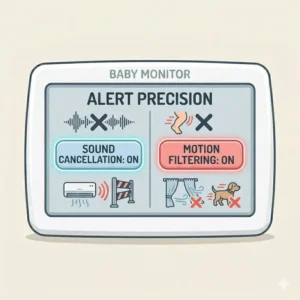
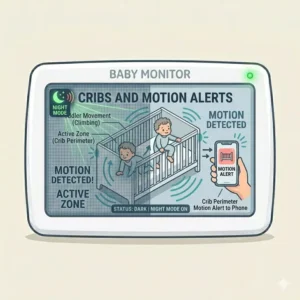
Pixel-based motion alerts operate by continuously comparing sequential video frames. If the light contrast shifts inside a specific grid cluster—such as headlights cutting across the ceiling through window blinds—the software records this change as motion. Advanced systems bypass this limitation by using Passive Infrared (PIR) sensors that track actual body heat changes rather than simple light variations. Selecting a system with algorithmic processing filters out these environmental anomalies, ensuring you only wake up for real movement.
Features That Actually Matter (And Those That Don’t)
Nursery tech marketing is full of over-hyped features designed to drive up retail costs without adding practical value. As an industry consultant who has evaluated hundreds of consumer electronics, I advise parents to look past the marketing fluff.
Crucial Engineering Features
-
Adjustable VOX Delay: This feature requires an infant’s cry to hold a specific volume threshold for a continuous 2 to 3 seconds before triggering the parent alarm. This filters out isolated sleep coughs or structural house groans.
-
Dual-Band Wireless Frequency (2.4GHz / 5GHz): Wi-Fi baby monitors operating solely on overcrowded 2.4GHz frequencies frequently drop connections due to interference from home microwaves and neighbor networks.
-
High-Intensity Infrared LEDs: Clear night vision relies on the quality of the built-in infrared array. Look for invisible 940nm LEDs that don’t emit an annoying red glow, which can distract your child during sleep transitions.
Overrated Marketing Gimmicks
-
4K Video Resolution: A nursery monitor does not need cinematic 4K video resolution. Ultra-high resolution demands massive wireless bandwidth, heats up the camera body, and drains your smartphone’s battery without providing any extra safety benefits over a crisp 1080p feed.
-
Pre-loaded Nursery Lullabies: The tiny speaker cones built into most monitor housings sound metallic and distorted. Using a dedicated, high-quality standalone sound machine offers much better audio performance for your baby.
Common Mistakes When Buying a Monitor for Alerts
The single biggest error I observe parents make is buying a monitor based entirely on recommendations from social media influencers without assessing their specific nursery layout.
[Incorrect Corner Mount: High Distance]  ---> Great room view, but poor pixel density for motion alerts.
[Correct Overhead Mount: 3.5 Feet High] ---> High pixel density, crisp audio capture, zero shadow interference.
Another frequent oversight is ignoring your home’s layout. If you live in a multi-story home, buying an app-only Wi-Fi monitor means your phone’s screen must stay active all evening while you are downstairs. This setup drains your battery and leaves you vulnerable to missed alerts if your phone updates its operating system overnight.
Additionally, parents often set their sound sensitivity to the maximum level on day one. This guarantees you will be awoken by normal infant grunting and digestion. Healthy infants are incredibly loud sleepers; keeping your sound alerts on high sensitivity disrupts your sleep cycles unnecessarily, leading to exhaustion.
Sound Alerts vs Motion Alerts: Age-Based Optimization
Your child’s developmental trajectory should dictate how you configure your monitor alerts. A setup that works perfectly for a 2-week-old infant will become an annoying source of false alarms by the time they reach 10 months of age.
0–3 Months: High Sound Sensitivity  / Low Motion Sensitivity (Infant is immobile)
4–8 Months: Medium Sound Sensitivity / High Motion Safety Zones (Infant begins rolling)
9+ Months : Low Sound Sensitivity    / Targeted Exit Warning Zones (Infant is climbing)
The Newborn Phase (0 to 3 Months)
During the initial months, motion alerts are mostly unnecessary unless you are tracking breathing patterns via specialized computer vision. Newborns cannot shift their physical position significantly in a crib, but they do express distress through distinct vocal tones. For this stage, rely primarily on sound alerts set to a moderate volume threshold to filter out basic sleep grunts.
The Mobility Transition (4 to 8 Months)
Once your baby learns to roll over, motion alerts become much more valuable. This is the stage where a baby monitor with sound alerts vs motion alerts shifts in favor of motion tracking. You will want to know if your baby has rolled onto their stomach and is struggling to roll back. Setting up focused motion alerts around the perimeter of the crib mattress helps you monitor these physical milestones without needing to stare at the video screen all night.
The Toddler Horizon (9 Months and Beyond)
When your child learns to pull themselves up to a standing position, standard acoustic alerts lose their utility because a standing toddler can silently climb out of their crib. Here, setting up a customized motion safety zone along the top rail of the crib is an excellent safety measure. If your child’s torso crosses that virtual boundary, the monitor triggers an instant alert, helping you step in before an accidental fall occurs.
Long-Term Cost & Maintenance of Smart Monitors
Investing in a high-end baby monitor means planning for its entire operational lifecycle. Most parents assume these devices require zero upkeep, but nursery environments accumulate significant dust and ambient oils that can impair sensor performance over time. According to research on consumer electronic lifecycles, preventative maintenance can double the operational lifespan of your camera hardware.
Year One Maintenance Roadmap
To keep your monitor operating at peak performance, establish a regular cleaning routine:
-
Every 30 Days: Wipe the camera lens down with a dry microfiber cloth. Dust accumulation over the infrared sensors can scatter light emissions, making night vision look fuzzy and leading to false motion alerts.
-
Every 90 Days: Power down the parent handheld unit completely to recalibrate the lithium-ion battery cell. Allowing the battery to drain to 0% and then charging it back to 100% helps maintain its overall capacity.
-
Bi-Annually: Check your camera’s mounting hardware. Vibrations from nearby doors closing can gradually loosen drywall anchors, shifting your camera’s field of view and throwing off your customized motion tracking zones.
✨ Don’t Miss These Exclusive Deals!
🔍 Take your nursery setup to the next level with these carefully selected products. Click on any highlighted item to check current pricing and availability. These tools will help you create a peaceful, secure sleep environment your family will love!
Conclusion
Choosing between a baby monitor with sound alerts vs motion alerts doesn’t require a compromise. The modern nursery market offers excellent hybrid options that combine the best of both worlds. For most families, relying on local, filtered sound alerts provides the lowest latency and fewest false alarms during the newborn stage. As your child grows more active, transitioning to algorithmic motion safety zones gives you the visibility needed to track milestones safely. By matching your monitor’s tech to your home’s layout and your child’s age, you can protect both your baby’s safety and your own sleep health.
FAQs
❓ Can white noise machines interfere with baby monitor sound alerts?
✅ Yes, constant acoustic frequencies from white noise machines can mask true distress sounds or overwhelm entry-level audio sensors. Using a monitor with Active Noise Cancellation filters out these background hums so you only hear your baby…
❓ Do motion alerts work reliably in a completely dark nursery?
✅ High-quality monitors utilize near-infrared LED arrays to illuminate the crib space invisibly. This allows the digital pixel sensors or computer vision software to track movement accurately, even in pitch-black room conditions…
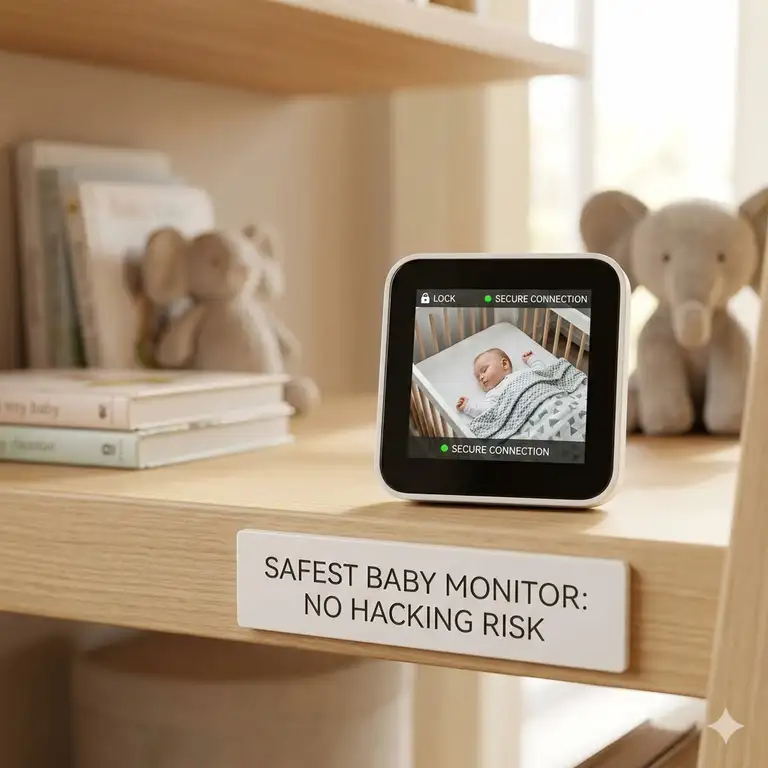
❓ Is a local FHSS monitor safer than a Wi-Fi connected baby monitor?
✅ Local Frequency-Hopping Spread Spectrum (FHSS) monitors operate on a closed-loop system without an internet connection, making them immune to remote hacking. Wi-Fi units require strong passwords and updated firmware to maintain security…
❓ Why does my baby monitor keep dropping its signal overnight?
✅ This drop is typically caused by local frequency congestion on the 2.4GHz wireless band, often from home appliances or routers adjusting channels. Moving your router away from your monitor hardware usually stabilizes the connection…
❓ At what age should I turn off motion alerts completely?
✅ Most parents can disable standard motion alerts around 12 to 15 months, once toddlers learn to adjust their sleeping positions comfortably. At this point, focus alerts on the crib exit rail or bedroom doorway instead…
Recommended for You
- 5 Best Baby Monitor with Two Cameras System Reviews (2026 Expert Picks)
- 5 Best Baby Monitor Battery Life Comparison Guide for 2026
- 5 Best baby monitor for travel portable options for 2026 (Expert Review)
Disclaimer: This article contains affiliate links. As an Amazon Associate, I earn from qualifying purchases. If you purchase products through these links, we may earn a small commission at no additional cost to you.
✨ Found this helpful? Share it with your friends! 💬🤗
[addtoany]