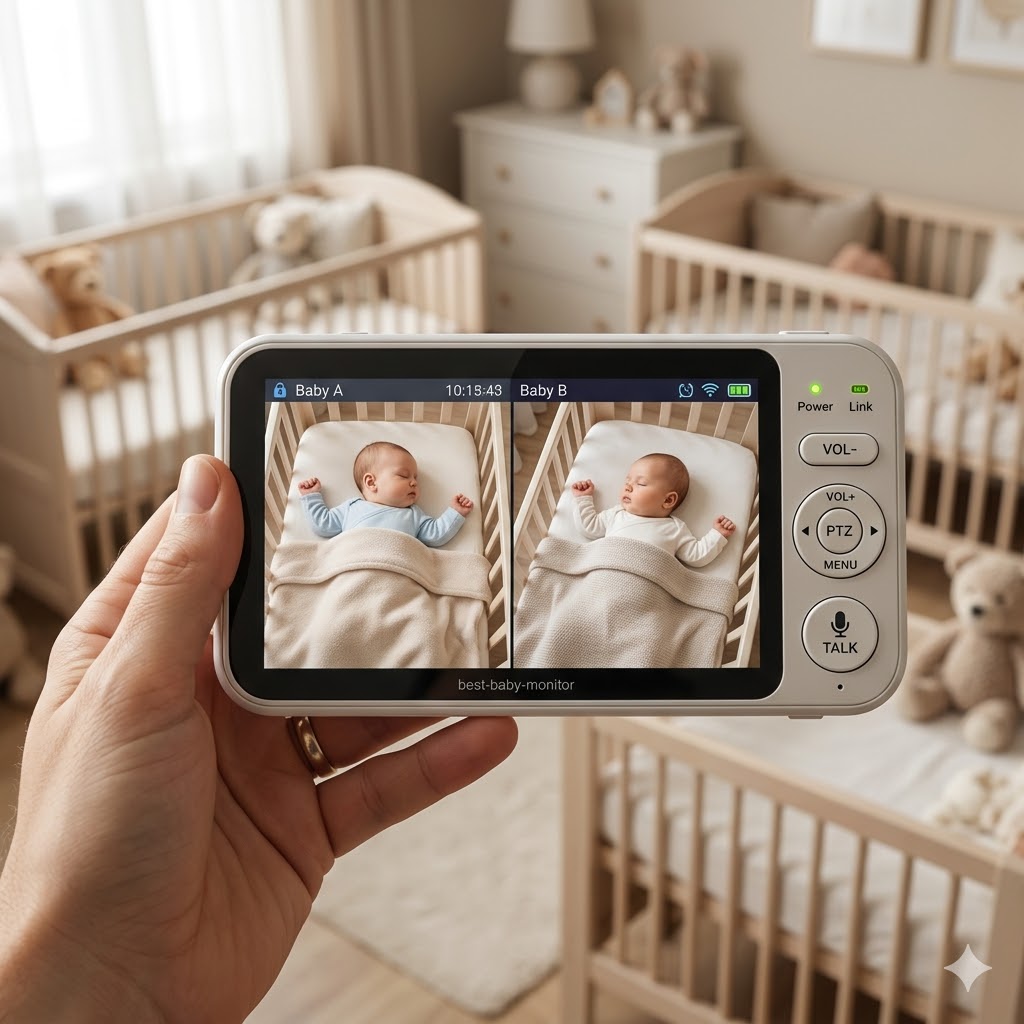
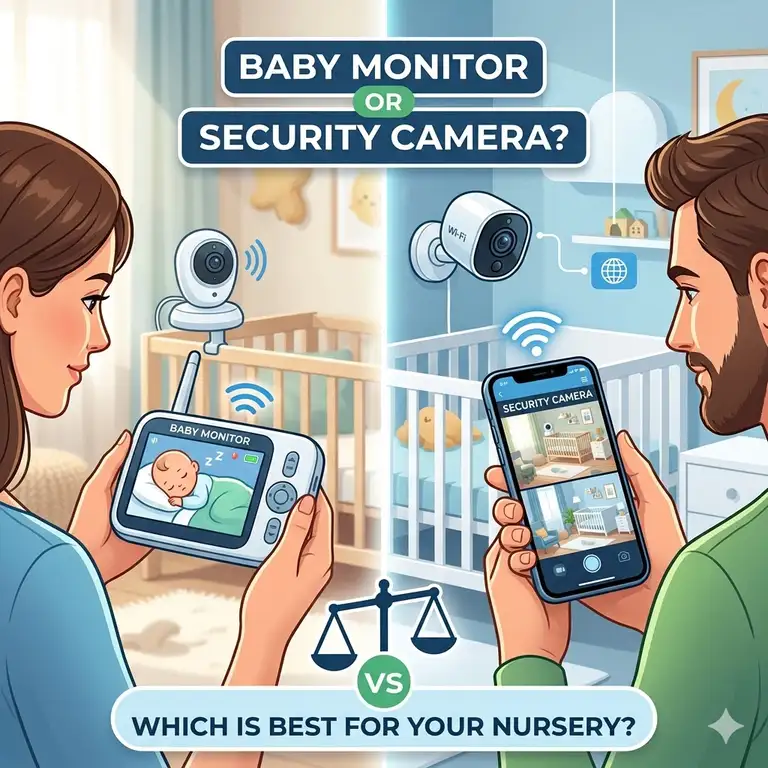
When you are prepping for a new arrival, the tech choices can feel like learning a second language. One of the most common crossroads parents hit is choosing a baby monitor vs security camera for nursery setups. But what is the actual difference? A baby monitor is a specialized electronic device used to remotely listen to or watch an infant, often featuring dedicated parent units and infant-specific sensors. In contrast, a security camera is a general-purpose surveillance tool designed for home safety, offering high-definition video and cloud storage but often lacking specialized features like breathing tracking or room temperature alerts.
Choosing between a baby monitor vs security camera for nursery use isn’t just about the hardware; it’s about how you intend to parent in the digital age. In my experience, parents who want “plug-and-play” simplicity usually gravitate toward traditional monitors, while those who love a “smart home” ecosystem often prefer the versatility of a security camera. Both have evolved significantly by 2026. According to industry insights from Wikipedia, the transition from simple analog audio to encrypted digital video has made these devices more secure than ever, yet the debate over which is “better” remains heated.
In the current landscape, the baby monitor vs security camera for nursery choice often boils down to two things: specialized functionality versus long-term utility. A security camera might last you ten years as a hallway monitor, but a baby monitor offers that immediate, dedicated screen that doesn’t drain your phone battery. Let’s dive into the specifics to see which one earns a spot on your registry.
Quick Comparison Table: Baby Monitor vs Security Camera for Nursery
| Feature | Dedicated Baby Monitor | Smart Security Camera | Best For |
| Connectivity | FHSS (Non-Wi-Fi) or Wi-Fi | Wi-Fi / Ethernet | Security Camera (Remote access) |
| Dedicated Screen | Yes (Parent Unit) | No (Uses Phone/Tablet) | Baby Monitor (Convenience) |
| Specialized Alerts | Breathing, Cry, Temperature | Motion, Person, Sound | Baby Monitor (Infant Safety) |
| Long-Term Value | Low (Used for 2-4 years) | High (Used for 10+ years) | Security Camera (ROI) |
| Setup Speed | Near Instant | Moderate (App Config) | Baby Monitor (Simplicity) |
Looking at the comparison above, the dedicated baby monitor delivers the best immediate experience for sleep-deprived parents who don’t want to fiddle with apps at 3 AM. However, if long-term ROI is your priority, the security camera justifies its place by transitioning into a general home safety tool once the toddler years are over. Budget buyers should note that security cameras often provide higher resolution for a lower initial price, though they may carry hidden subscription costs for cloud storage.
💬 Just one click — help others make better buying decisions too! 😊
[addtoany]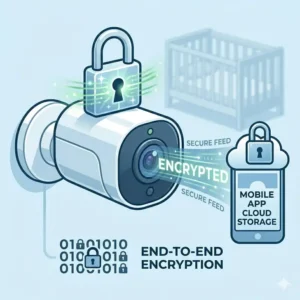
Top 5 Baby Monitors and Security Cameras: Expert Analysis
1. Nanit Pro Smart Baby Monitor (The Data Scientist’s Choice)
The Nanit Pro Smart Baby Monitor stands out for its integrated “Computer Vision” technology that tracks sleep patterns without wearable electronics. It features 1080p video, a split-screen view for multiple cameras, and a floor stand that provides a perfect bird’s-eye view of the crib.
From a practical standpoint, that bird’s-eye view is a game changer. Most cameras struggle with “blind spots” created by crib slats, but the Nanit’s overhead position eliminates this entirely. In my opinion, this is the best option for parents who suffer from “sleep-tracking anxiety.” The spec sheet mentions “Breathing Wear” compatibility, which means the camera monitors the custom patterns on the baby’s swaddle to ensure they are breathing. What most buyers overlook is that this is a localized processing feature—it doesn’t rely on your internet speed to alert you if something is wrong.
Customer feedback often highlights the “Nature Sounds” feature, which acts as a built-in white noise machine, saving you space on the nightstand. However, keep in mind that the full suite of analytics requires a “Nanit Insights” subscription after the first year.
-
Pros: Incredible sleep data, no-tool wall mounting, high-quality audio.
-
Cons: Expensive ecosystem, subscription-dependent for best features.
-
Price Range: Around $240-$300 depending on the stand bundle.
2. Infant Optics DXR-8 PRO (The Privacy Purist)
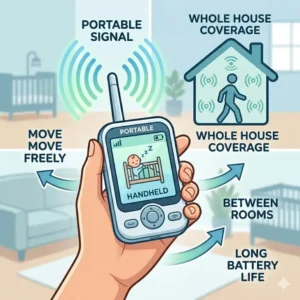
The Infant Optics DXR-8 PRO is a non-Wi-Fi monitor that uses a closed-loop FHSS (Frequency Hopping Spread Spectrum) system to transmit video directly to the included 5-inch parent unit. It offers Active Noise Cancellation and an interchangeable lens system.
If you are skeptical about hackers or Wi-Fi outages, this is your gold standard. By bypassing the internet entirely, the baby monitor vs security camera for nursery debate tilts heavily toward the monitor for pure reliability. The 720p resolution might seem lower than a 4K security camera, but on a 5-inch screen, it’s remarkably crisp. The Active Noise Cancellation is the standout feature here; it filters out background fans or white noise so you only hear the baby’s actual cries.
Users love that this unit is “plug and play.” You don’t need an account, an app, or a stable router to see your child. This is the perfect match for grandparents or less tech-savvy caregivers who just want a dedicated screen that works the moment it’s turned on.
-
Pros: Zero hacking risk, no Wi-Fi needed, dedicated hardware buttons.
-
Cons: Limited range in very large houses, no remote viewing from work.
-
Price Range: $180-$210 range.
3. Arlo Essential Indoor Camera (2nd Gen) (The Smart Home Integration)
The Arlo Essential Indoor Camera (2nd Gen) is a versatile security camera featuring a physical privacy shield and 2K resolution. While not marketed exclusively for babies, its “Person Detection” and “Package Detection” make it a versatile home tool.
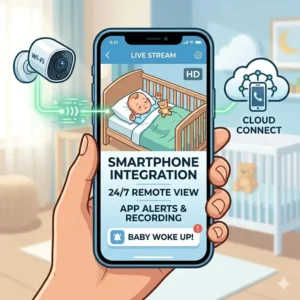
In a baby monitor vs security camera for nursery context, the Arlo wins on visual clarity. The 2K sensor allows you to pinch-to-zoom on your phone and actually see if the baby’s eyes are open, something lower-res monitors struggle with. The “Privacy Shield” is a critical expert-level addition; when you aren’t using the camera, you can physically close the lens via the app, providing peace of mind that no one is watching. What most people forget is that Arlo integrates perfectly with Apple HomeKit and Amazon Alexa. You can ask your Echo Show to “show me the nursery,” and the feed pops up instantly.
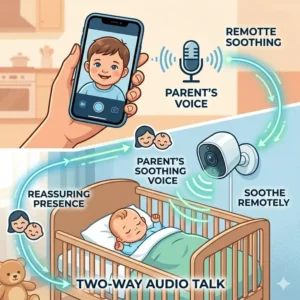
Feedback from parents suggests that while the video is great, the two-way talk has a slight lag. If you need to soothe a baby instantly with your voice, a half-second delay can be jarring.
-
Pros: Crystal clear 2K video, physical privacy shutter, excellent app interface.
-
Cons: Requires a subscription for video history, no dedicated parent screen.
-
Price Range: Around $70-$100.
4. CuboAi Plus Smart Baby Monitor (The AI Safety Net)
The CuboAi Plus Smart Baby Monitor is an AI-driven device shaped like a friendly bird, designed to detect “Covered Face” and “Rollover” events. It features a high-definition night vision sensor and a built-in nightlight.
This device represents the “Transformation” of the baby monitor vs security camera for nursery category. It isn’t just a camera; it’s an active safety guard. The AI is trained to recognize if a blanket has covered the baby’s face or if they have rolled onto their stomach for the first time. In my experience, these “proactive” alerts provide a level of safety that a standard security camera simply cannot match. The 1080p HD video is coupled with a “true” night vision that doesn’t have that red glowing light which can distract a fussy infant.
Reviewers often rave about the “Auto-Photo” feature, which uses AI to snap pictures of the baby when they smile or look at the camera, creating a digital scrapbook automatically. It’s a sentimental touch that makes the high price tag easier to swallow.
-
Pros: Proactive AI safety alerts, adorable design, great night vision.
-
Cons: High price point, AI can occasionally give false “covered face” alerts.
-
Price Range: $190-$230 range.
5. Wyze Cam v4 (The Budget Powerhouse)
The Wyze Cam v4 is the ultimate budget security camera, offering 2.5K resolution, color night vision, and a built-in spotlight for under fifty bucks. It is small, magnetic, and incredibly easy to mount anywhere.
For the budget-conscious parent, the baby monitor vs security camera for nursery decision is often won by Wyze. You get features usually reserved for $200 devices—like local microSD storage and color night vision—for the price of a few boxes of diapers. The color night vision is the star here; instead of a grainy black-and-white image, you can see the color of the baby’s pajamas even in low light. This is helpful for identifying leaks or rashes without turning on a lamp.
Expert tip: Use the Wyze Cam as a “secondary” monitor. If you have a primary audio monitor, the Wyze provides the high-def visual backup you need without breaking the bank. Just be aware that it lacks specialized “baby” alerts like breathing or temperature.
-
Pros: Unbeatable price, color night vision, local storage option.
-
Cons: Lacks specialized baby sensors, app can feel cluttered with ads.
-
Price Range: Under $50.
✨ Don’t Miss These Exclusive Deals!
🔍 Take your nursery safety to the next level with these carefully selected products. Click on any highlighted item to check current pricing and availability. These tools will help you create an authentic, safe environment your family will love!
Practical Usage Guide: Setting Up Your Nursery Surveillance
Setting up your baby monitor vs security camera for nursery isn’t as simple as “aim and shoot.” To get the most out of your tech in 2026, follow these optimization steps:
Phase 1: The Angle of Truth
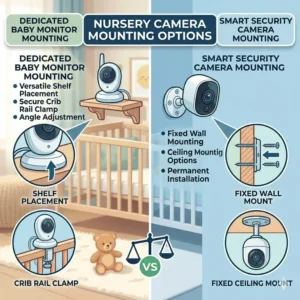
Most parents mount their camera on a dresser, which leads to a “side view” of the crib. This is a mistake. For AI-driven monitors like Nanit or CuboAi, a vertical bird’s-eye view is required for accurate tracking. If you are using a security camera, aim for a corner mount high near the ceiling. This provides a wide-angle view of the entire room, allowing you to see not just the crib, but if a toddler has climbed out or if the dog has snuck in for a nap.
Phase 2: Network Optimization
If you choose a Wi-Fi-based system, your router is the heartbeat of your nursery safety. Most “connection drops” aren’t the camera’s fault; they are due to 2.4GHz interference. Since most nursery gear runs on the 2.4GHz band (which has better range through walls), ensure your router isn’t tucked behind a metal filing cabinet. If your nursery is on a different floor, a mesh Wi-Fi system is almost a mandatory upgrade to prevent “Searching for Camera” errors at 2 AM.
Phase 3: The 30-Day Check
Within the first 30 days, calibrate your alerts. If your phone is buzzing every time the baby wiggles a toe, you will eventually suffer from “alert fatigue” and ignore a real emergency. Set motion sensitivity to “Medium” and define “Activity Zones” that only cover the interior of the crib.
Real-World Scenarios: Which Parent Profile Are You?
The baby monitor vs security camera for nursery choice is deeply personal. Let’s look at three common user profiles to help you self-identify.
-
The “Work-from-Home” Professional: You spend 8 hours a day in a home office and want to keep a small “PIP” (Picture-in-Picture) window open on your Mac or iPad while you work. In this case, a security camera like the Arlo Essential is superior. Its desktop-friendly app allows for seamless multi-tasking that a handheld baby monitor unit cannot provide.
-
The “First-Time Anxious” Parent: You want to know the second the baby’s breathing rhythm changes or if they have rolled over. You don’t care about price; you care about data. The Nanit Pro or CuboAi Plus are your best bets. These devices act as a “virtual night nurse,” providing a level of analysis that standard security cameras simply lack.
-
The “Off-Grid” / Privacy-First Parent: You live in an area with spotty internet or simply don’t want your private life stored on a cloud server in another state. The Infant Optics DXR-8 PRO is your champion. It’s reliable, private, and works during a total internet outage—a scenario where “smart” cameras become expensive paperweights.
Why Privacy Matters: Security Camera Encryption vs. Baby Monitor FHSS
In the debate of baby monitor vs security camera for nursery, privacy is the elephant in the room. By 2026, the technology has split into two distinct security philosophies: local transmission and encrypted cloud storage.
Baby monitors like the Infant Optics use FHSS. Think of this like a walkie-talkie that constantly changes its frequency hundreds of times per second. It is nearly impossible for someone outside the home to “tune in” to your signal because they don’t have the “handshake” key. It’s a closed loop. There is no cloud, no account, and no vulnerability to a global data breach.
Security cameras, however, rely on AES-128 or 256-bit encryption. This is the same level of security used by banks. While highly secure, it is only as strong as your password and your router’s security. If you use a security camera, Two-Factor Authentication (2FA) is non-negotiable. What most buyers overlook is that “smart” monitors like Nanit also use this cloud-based encryption. The trade-off is simple: Wi-Fi cameras give you remote access from anywhere in the world, while FHSS monitors give you total local isolation. In my experience, the “hackers” parents fear are usually the result of reused, weak passwords, not a failure of the tech itself.
Features That Actually Matter (And Those That Don’t)
Marketing departments love to bloat spec sheets. When weighing a baby monitor vs security camera for nursery, you need to filter the signal from the noise.
The “Must-Haves”
-
Two-Way Audio: This isn’t just for talking; it’s for listening. High-quality microphones allow you to hear the difference between a “fussy” cry and an “I’m hungry” cry.
-
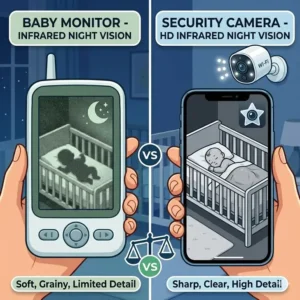
High-Intensity Infrared (IR): Babies sleep in the dark. If the camera’s IR LEDs are weak, the image will look like a ghost movie. Look for cameras with at least 8-10 IR sensors.
-
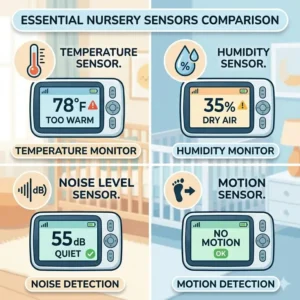
Temperature Sensors: A nursery that is too hot or cold is a SIDS risk factor. Having this integrated into your monitor screen is far more convenient than checking a separate wall thermometer.
The “Marketing Hype”
-
4K Resolution: On a smartphone screen, you cannot tell the difference between 2K and 4K. 4K simply eats your bandwidth and slows down your feed loading time. 1080p or 2K is the sweet spot.
-
Built-in Lullabies: Most camera speakers are tiny and tinny. A dedicated $20 white noise machine will always sound better than the digital “Twinkle Twinkle” coming out of a camera.
-
100x Digital Zoom: Digital zoom just makes the pixels larger and blurrier. If you need to see detail, you need a camera with an optical lens or higher base resolution, not digital cropping.
How to Choose the Right Camera for Your Nursery
Choosing a baby monitor vs security camera for nursery requires a systematic approach. Follow these five steps to ensure you don’t end up with “buyer’s remorse” three months into parenthood.
-
Audit Your WiFi: Use a speed test app in the nursery. If you get less than 10Mbps upload speed, avoid Wi-Fi cameras and stick to FHSS monitors.
-
Identify Your Viewing Device: Do you want a dedicated screen on your nightstand, or are you comfortable using your phone? Remember, using your phone as a monitor means you can’t scroll social media or text without closing the “baby” window (unless you have a secondary tablet).
-
Define Your “Safety Net”: Do you just want to see the baby, or do you need the camera to “watch” the baby for you? AI features (breathing, rollover) are only found in specialized baby monitors.
-
Calculate the Long-Term Cost: A $50 security camera might cost $120 a year in subscriptions. A $250 baby monitor might have zero recurring costs. Over three years, the “expensive” monitor is actually cheaper.
-
Check for Expandability: If you plan on having more children, look for a system that supports “Split Screen” for multiple cameras. Not all apps handle this well.
Common Mistakes When Buying Nursery Monitoring Gear
Even the most tech-savvy parents fall into these pitfalls when deciding on a baby monitor vs security camera for nursery setups.
The biggest mistake is over-reliance on AI. I have seen parents treat a breathing monitor like a medical device. These are “consumer-grade” wellness tools, not FDA-cleared respirators. Use them for peace of mind, but never stop following safe sleep practices like “Back to Sleep.”
Another common error is ignoring the audio delay. Some security cameras have a 2-3 second “buffer” delay. While that doesn’t sound like much, it means your baby has been crying for several seconds before you hear it. In contrast, FHSS baby monitors have zero latency—the sound is instantaneous.
Finally, don’t forget mounting safety. I’ve seen many “DIY” security camera setups with dangling power cords near the crib. Any cord within 3 feet of the crib is a strangulation hazard. Always use cord covers, regardless of which device you choose.
Baby Monitor vs Security Camera: The Audio Delay Dilemma
When we talk about baby monitor vs security camera for nursery performance, we often focus on video, but audio is actually what wakes you up at night. Security cameras are designed for surveillance—they record “events.” Baby monitors are designed for “monitoring”—a continuous stream of live audio.
Many security cameras use “Background Audio” features, but these can be finicky. If your phone updates or another app takes priority, the audio might cut out. Dedicated baby monitors have a “VOX” mode (Voice Operated Exchange). This keeps the screen off to save battery but turns the audio (and screen) on the millisecond it detects a sound above a certain decibel. This “instant-on” feature is specifically tuned for the frequency of a baby’s cry, something a standard security camera like a Wyze or Arlo isn’t specifically optimized for. In my opinion, if you are a heavy sleeper, the dedicated “buzz” and light-bar of a parent unit are much more effective at waking you up than a standard phone notification.
Long-Term Cost & Maintenance: Subscription vs. One-Time Purchase
The total cost of ownership is where the baby monitor vs security camera for nursery comparison gets interesting.
-
Security Cameras: Often have a lower “entry price.” However, to get features like “Person Detection” or to view a recording of what happened ten minutes ago, you usually need a monthly subscription ($3-$15/month). Over five years, that $50 camera could cost you $500.
-
Baby Monitors: These have a high “entry price” (often $200+). However, most (like Infant Optics or Eufy) have zero monthly fees. You own the hardware and the “service” forever.
From an ROI perspective, the security camera wins if you plan to repurpose it. Once the baby is five, that camera can move to the garage or the front door. A baby monitor, once its job is done, usually ends up in a drawer or sold for 20% of its value on a local marketplace. If you want a “one and done” investment for your home, the security camera is the winner. If you want the lowest stress over the next 24 months, pay the premium for the monitor.
What to Expect: Real-World Performance in Low Light
Let’s talk about the “Midnight View.” In a baby monitor vs security camera for nursery showdown, night vision is the most critical spec.
Most modern security cameras use 850nm IR LEDs. These are the ones that glow a faint, tiny red. Some babies are fascinated by these “red dots” and will stare at the camera instead of sleeping. Higher-end baby monitors like the CuboAi use 940nm LEDs, which are completely invisible to the human eye.
Furthermore, “Color Night Vision” (found in cameras like the Wyze v4) requires at least a tiny bit of ambient light to work—like a nightlight or streetlamp light peeking through the curtains. In a pitch-black nursery, color night vision will often revert to standard black and white. Don’t be swayed by “Color Night Vision” marketing unless you plan on keeping a dim light on in the room. In my experience, the traditional high-contrast black-and-white IR image is actually better for seeing if a baby’s chest is rising and falling.
Smart Home Integration: Connecting Your Nursery to Alexa and Google
In 2026, the baby monitor vs security camera for nursery decision is often dictated by the “hub” in your kitchen.
If you have an Amazon Echo Show or a Google Nest Hub, a security camera (or a Wi-Fi baby monitor like Nanit) allows you to say, “Hey Google, show me the nursery.” The video feed pops up on your kitchen display while you are washing bottles or prepping dinner. This “hands-free” viewing is a massive convenience that non-Wi-Fi monitors cannot match.
However, be warned: smart home integrations are not 100% reliable. Sometimes the “skill” needs to be re-linked, or the feed takes 10 seconds to load. For “mission-critical” monitoring (like when you are sleeping), I always recommend having the dedicated parent unit or your phone nearby, rather than relying solely on a smart display which might time out after 30 minutes of inactivity.
✨ Don’t Miss These Exclusive Deals!
🔍 Take your nursery to the next level with these carefully selected products. Click on any highlighted item to check current pricing and availability. These tools will help you create an authentic, safe space for your baby!
Conclusion
The debate between a baby monitor vs security camera for nursery doesn’t have a universal winner; it only has a winner for your specific lifestyle. If you value data, safety AI, and infant-specific metrics, a dedicated smart monitor like the Nanit Pro is a worthwhile investment in your peace of mind. If you prefer a “un-hackable” closed system that just works without an app, the Infant Optics DXR-8 PRO remains the gold standard for reliability.
Conversely, if you are tech-savvy and want a high-resolution tool that will grow with your home, a security camera like the Arlo Essential or the budget-friendly Wyze Cam v4 offers incredible value. Just remember that the “cheaper” security camera often comes with the hidden “tax” of your time (setting up apps) and potential subscription fees. Whichever path you choose, prioritize a clear image, reliable audio, and a secure connection to ensure your little one is always just a glance away.
FAQs
❓ Can I use a security camera as a baby monitor?
✅ Yes, many parents do this to save money. However, you will miss out on specialized features like breathing tracking and room temperature alerts, and you’ll need to ensure your phone’s “Do Not Disturb” mode doesn’t silence baby alerts…
❓ Which is more secure, a baby monitor or a security camera?
✅ Non-Wi-Fi baby monitors (FHSS) are technically more secure because they don’t connect to the internet. Security cameras are safe if you use 2FA and strong passwords, but they are theoretically vulnerable to cloud-based breaches…
❓ Does a baby monitor work without Wi-Fi?
✅ Only if it is a “Local” or “FHSS” model like the Infant Optics DXR-8. Most modern “Smart” monitors (Nanit, CuboAi) require a Wi-Fi connection to transmit video to your smartphone…
❓ Will a baby monitor interfere with my Wi-Fi?
✅ Potentially. Older 2.4GHz monitors can compete for bandwidth with your router. Most 2026 models use “Frequency Hopping” to minimize this, but placing a router and a monitor base right next to each other is still a bad idea…
❓ Can I view my baby monitor from my work office?
✅ Only if you have a Wi-Fi-connected monitor or a security camera. Non-Wi-Fi monitors have a range of about 700-1000 feet and will not work once you leave the house…
Recommended for You
- 5 Best baby camera with phone app secure Picks for 2026
- 5 Best Baby Monitor with Temperature Sensor Accuracy (2026 Expert Guide)
- 5 Best Baby Monitor Under 100 Dollars for 2026: Expert Reviews
Disclaimer: This article contains affiliate links. As an Amazon Associate, I earn from qualifying purchases. If you purchase products through these links, we may earn a small commission at no additional cost to you.
✨ Found this helpful? Share it with your friends! 💬🤗
[addtoany]