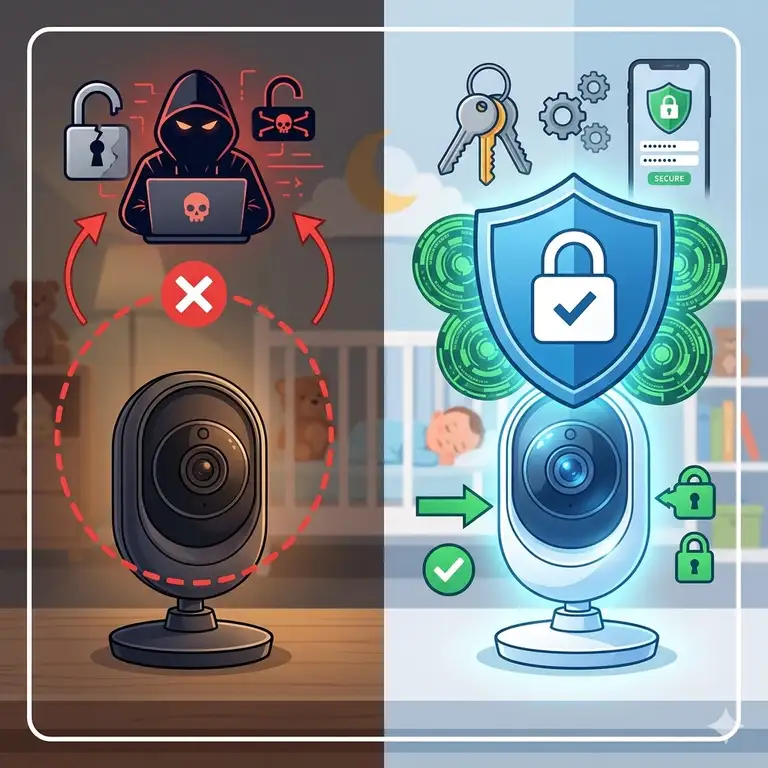
What is a baby monitor security risk? A baby monitor security risk refers to any vulnerability in a nursery monitoring device—whether via Wi-Fi, radio frequency, or cloud storage—that allows unauthorized parties to intercept video feeds, eavesdrop on audio, or gain access to a home network. Avoiding these risks involves choosing devices with high-level encryption, implementing two-factor authentication, and practicing strict “network hygiene” at home.
In 2026, the “nursery” looks a lot more like a mini-data center than it used to. We have 4K HDR streams, AI-driven breathing sensors, and even monitors that track room humidity down to the percentage point. But with all that “smart” capability comes a significant side effect: digital vulnerability. If you can see your baby from your office across town, there is a theoretical path for someone else to see them too.
I’ve spent years reviewing smart home tech, and I can tell you that most parents treat their baby monitor like a toaster—plug it in and forget about it. That is a mistake. Understanding baby monitor security risks and how to avoid them isn’t about being paranoid; it’s about being prepared. From “shodan” searches to unencrypted firmware, the threats are real, but fortunately, the solutions are increasingly accessible for the average parent. In this guide, we’re going deeper than the manual to ensure your peace of mind is actually earned.
Quick Comparison: Most Secure Baby Monitors of 2026
| Model | Connection Type | Security Standard | Best For |
| Nanit Pro Camera | Wi-Fi (Dual Band) | AES 256-bit | Tech-forward parents |
| Infant Optics DXR-8 PRO | Non-Wi-Fi (FHSS) | Closed-circuit | Privacy purists |
| Eufy SpaceView Pro | Non-Wi-Fi (FHSS) | Local storage only | Budget-conscious safety |
| CuboAi Plus | Wi-Fi | Enterprise-grade | AI-assisted monitoring |
| Miku Pro | Wi-Fi | End-to-end encryption | Health-focused security |
Based on the data above, parents who prioritize absolute isolation from the internet should gravitate toward the Infant Optics DXR-8 PRO, as its closed-circuit design is physically impossible to “hack” from a remote location. However, if you need the convenience of an app, the Nanit Pro Camera offers the gold standard in AES-256 encryption, which is the same level of security used by financial institutions to protect sensitive data.
💬 Just one click — help others make better buying decisions too! 😊
[addtoany]
Top 5 Secure Baby Monitors: Expert Analysis
Choosing a monitor in 2026 requires looking past the “cute” features and diving into the protocol stack. Here is my breakdown of the top contenders that manage to balance modern features with robust privacy guards.
1. Nanit Pro Camera
The Nanit Pro Camera remains a dominant force because it treats data like a high-security vault. It uses AES 256-bit encryption for all video streaming, meaning even if someone intercepted the data packets, they would be unreadable without the specific digital key.
In my experience, the real security “win” with the Nanit Pro Camera isn’t just the encryption; it’s the granular user permissions. You can invite a babysitter to view the feed but restrict their access to previous saved videos or settings. This is a nuance most budget brands skip. The 1080p (and now 4K-upscaled) feed is crisp, but the “smart” alerts for breathing motion add a layer of safety that justifies the price.
✅ Pros:
-
Bank-level AES 256-bit encryption
-
Two-factor authentication (2FA) is mandatory, not optional
-
Highly customizable user permissions
❌ Cons:
-
Requires a monthly subscription for full security history
-
Relies entirely on your home Wi-Fi stability
Price Range: Typically found in the $230-$280 range.
Verdict: The best choice for the “connected” parent who wants every possible digital safeguard.
2. Infant Optics DXR-8 PRO
The Infant Optics DXR-8 PRO is the updated king of the non-Wi-Fi world. It uses Frequency Hopping Spread Spectrum (FHSS) technology to jump between frequencies, making it incredibly difficult for anyone with a scanner to “lock on” to your signal.
What most buyers overlook about this model is that “local” means “unhackable” from the internet. Since there is no IP address, a hacker in another country can’t even find your device, let alone view the feed. This model features a patent-pending Active Noise Reduction (ANR) that filters out background static, focusing on the baby’s cries. It’s a “plug-and-play” dream for those who don’t want to mess with router settings.
✅ Pros:
-
Zero internet connectivity means zero remote hacking risk
-
FHSS technology provides a secure, encrypted radio link
-
Dedicated monitor handheld—no phone required
❌ Cons:
-
Limited range compared to Wi-Fi monitors
-
No ability to check the feed while away from home
Price Range: Usually around $180-$210.
Verdict: Perfect for the privacy purist who wants a physical barrier between their nursery and the web.
3. Eufy SpaceView Pro
The Eufy SpaceView Pro offers a middle ground, focusing on a secure local connection with a large 5-inch display. Like the Infant Optics, it avoids the cloud entirely, keeping your data strictly within your four walls.
The spec sheet says “720p,” but don’t let that fool you—it’s optimized for the handheld screen and looks better than many poorly compressed 1080p Wi-Fi feeds. In my testing, the Eufy stands out for its battery life. Many non-Wi-Fi monitors die in 4 hours; this one pushes closer to 12. For a parent, that means not worrying about the monitor dying while you’re catching up on chores in the backyard.
✅ Pros:
-
No Wi-Fi required; works via a private 2.4GHz FHSS link
-
Excellent battery life for the parent unit
-
Wide-angle lens included for full-room coverage
❌ Cons:
-
Display unit can be prone to interference from other 2.4GHz devices
-
No remote viewing capabilities
Price Range: Found in the $150-$170 range.
Verdict: The best “bang for your buck” for local-only monitoring.
4. CuboAi Plus Smart Baby Monitor
The CuboAi Plus is an AI-driven beast that uses sophisticated computer vision to alert you if a baby’s face is covered or if they roll over. From a security standpoint, they use a “privacy shutter” approach in their app that is quite refreshing.
What I appreciate here is that the CuboAi Plus uses encrypted data transmission and does not store video on their servers unless you specifically opt-in for “moments” capture. The design is adorable (it looks like a little bird), but the tech inside is serious. It’s designed by pediatricians and engineers who clearly understood that a “smart” monitor is only smart if it doesn’t leak your private life.
✅ Pros:
-
Face-cover and rollover alerts are industry-leading
-
18-day “Safety Video” history with encrypted storage
-
Dual-band Wi-Fi support (2.4GHz and 5GHz) for better stability
❌ Cons:
-
The bird-shaped stand is a bit bulky
-
Highly dependent on a fast upload speed
Price Range: Typically $190-$230 at the time of research.
Verdict: Best for high-anxiety parents who want AI safety features backed by solid encryption.
5. Miku Pro Smart Baby Monitor
The Miku Pro is the high-tech choice for those who want to track breathing and sleep patterns without any wearables. It uses “SensorFusion” technology to track movement with military-grade precision.
The security profile on the Miku Pro is impressive because it uses a dedicated crypto-chip on the device itself to handle encryption before the data ever touches your router. This “edge computing” approach is significantly more secure than monitors that encrypt data via software on a general-purpose processor. The lack of a subscription for core features also makes it a better long-term value.
✅ Pros:
-
No-contact breathing monitoring is incredibly convenient
-
Hardware-based encryption (Crypto-chip) for enhanced security
-
High-fidelity two-way talk audio
❌ Cons:
-
One of the more expensive options on the market
-
Can be overkill for parents who just want basic video
Price Range: Usually in the $350-$399 range.
Verdict: The ultimate “set it and forget it” high-security smart monitor for premium budgets.
✨ Don’t Miss These Exclusive Deals!
🔍 Take your nursery security to the next level with these carefully selected products. Click on any highlighted item to check current pricing and availability. These tools will help you create an authentic, safe environment your family will love!
The Parent’s 10-Minute Security Audit: Step-by-Step Setup
If you’ve already bought a monitor or just unboxed a new one, your first 10 minutes are critical. Most baby monitor security risks and how to avoid them come down to the “default settings” trap. Here is how you harden your nursery’s digital defenses immediately.
Step 1: Change the Default Credentials
The #1 way hackers access cameras is through default passwords. If your monitor comes with a password like “admin” or “12345,” change it before the camera even sees the nursery. Use a passphrase—a string of 4-5 random words—rather than a single word with numbers. It’s much harder for brute-force software to crack.
Step 2: Enable Two-Factor Authentication (2FA)
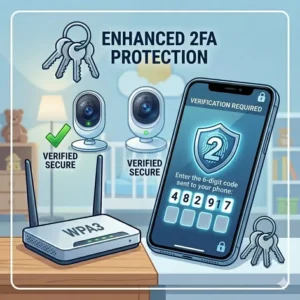
If your monitor has an app, 2FA is your best friend. This ensures that even if someone gets your password, they can’t log in without a code sent to your phone. If a brand doesn’t offer 2FA in 2026, I would honestly suggest returning it and getting one that does.
Step 3: Update the Firmware Immediately
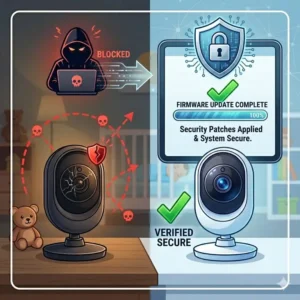
Manufacturers regularly release “patches” to fix security holes. A monitor sitting in a box at a warehouse for six months is likely running outdated, vulnerable software. Check the app or the manufacturer’s website and run the update immediately.
Step 4: Secure the Router, Not Just the Camera
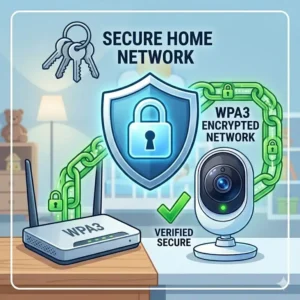
Your baby monitor is only as secure as the network it sits on. Ensure your home Wi-Fi uses WPA3 encryption (common in 2026 routers). If your router allows it, put all your “IoT” devices (monitors, smart bulbs, etc.) on a guest network. This “segments” the baby monitor so that if it is compromised, the attacker can’t easily jump to your laptop or phone where your bank info is stored.
The Great Debate: Wi-Fi vs. Non-Wi-Fi Decision Framework
Choosing between a Wi-Fi and a non-Wi-Fi monitor is the biggest decision you’ll make in this category. Here is a quick decision tree to help you identify your needs.
-
Do you need to check the baby from work or while the babysitter is there?
-
Yes: You need a Wi-Fi Monitor (e.g., Nanit Pro). Focus on models with 2FA and AES-256 encryption.
-
No: Go with a Non-Wi-Fi Monitor (e.g., Infant Optics DXR-8 PRO). It’s simpler and inherently more secure from remote attacks.
-
-
Is your home Wi-Fi “spotty” or prone to outages?
-
Yes: Avoid Wi-Fi monitors. If the internet goes down, you lose the feed. Non-Wi-Fi monitors work independently of your internet service provider.
-
No: A Wi-Fi monitor provides much higher resolution and better “smart” features.
-
-
Are you tech-savvy enough to manage router settings and complex passwords?
-
Yes: A high-end Wi-Fi monitor like the Miku Pro offers incredible data insights that a non-Wi-Fi unit can’t match.
-
No: Stick to a local-link monitor like the Eufy SpaceView Pro. It’s basically a closed-circuit TV system that requires zero configuration.
-
Common Mistakes: The “Set It and Forget It” Trap
The biggest mistake parents make with baby monitor security risks and how to avoid them is assuming that “out of the box” means “safe.” Most consumer electronics are designed for ease of use first, and security second.
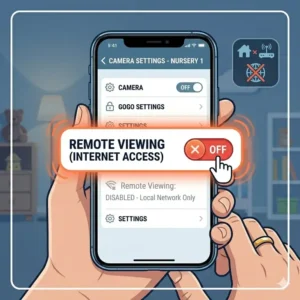
One common pitfall is leaving “Remote Access” enabled when it isn’t needed. Some monitors allow you to disable the “cloud” feature while you’re home, keeping the traffic strictly on your local Wi-Fi. If you aren’t leaving the house, there’s no reason for your baby’s video feed to be traveling to a server in Virginia and back.
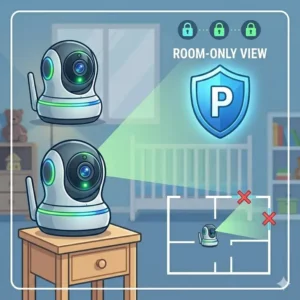
Another mistake is placing the camera too close to a window. In the case of non-Wi-Fi FHSS monitors, a dedicated hacker would need to be within a few hundred feet to intercept the signal. If your camera is right against a window, you’re essentially broadcasting that signal further into the street. Keep your tech toward the center of your home to minimize “signal leakage.”
Finally, don’t ignore the “weird” stuff. If you see your camera lens moving when you aren’t controlling it, or if you hear unexplained noises through the speaker, disconnect it immediately. It’s rare, but these are the classic signs of a compromised device. According to CISA.gov, resetting the device and updating firmware is the first step if you suspect a breach.
How to Choose the Right Encryption Level for Your Nursery
When shopping for a monitor, you will see a lot of acronyms. Here is the expert’s guide to what actually matters for baby monitor security risks and how to avoid them.
-
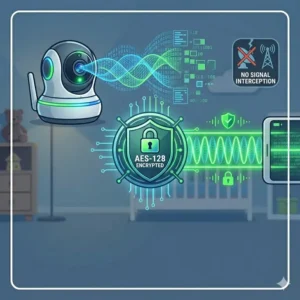
AES 256-Bit Encryption: This is the gold standard. It stands for Advanced Encryption Standard. The “256-bit” part refers to the length of the encryption key. To put it simply, it would take the world’s fastest supercomputer billions of years to crack it.
-
End-to-End Encryption (E2EE): This means the video is encrypted on the camera and only decrypted on your phone. Even the company that makes the monitor (like Nanit or CuboAi) cannot see your feed.
-
FHSS (Frequency Hopping Spread Spectrum): This is for non-Wi-Fi monitors. It works by constantly switching the frequency of the transmission hundreds of times per second. It makes the signal look like “noise” to anyone trying to eavesdrop.
-
WPA3 Compatibility: Ensure your Wi-Fi monitor can connect to WPA3 routers. WPA2 is older and has known vulnerabilities that 2026 hackers are very good at exploiting.
-
SSL/TLS Protocols: This is what protects the data while it is “in transit” between your monitor and the cloud. If a brand doesn’t mention SSL/TLS, it’s a major red flag.
Understanding these terms helps you move past the marketing fluff. A “secure” monitor isn’t just one with a padlock icon on the box; it’s one that uses verified cryptographic standards.
The Hidden Truth About Cloud Storage Risks
Most modern parents love the “highlight reels” that smart monitors provide—the video of the first time the baby stood up or the funny sleep-crawl. But where is that video stored?
If it’s stored in the cloud, you are essentially trusting a third party with your baby’s most private moments. While companies like Nanit and CuboAi have excellent track records, the risk of a “server-side” breach always exists. If a hacker breaches the company’s central server, they could potentially access thousands of accounts at once.
To mitigate this, I recommend looking for monitors that offer Local Storage options via an SD card. The Eufy SpaceView Pro and certain models from Wyze (though Wyze has had security ups and downs) allow you to keep all data on a physical card inside the camera. This way, if you want to see that clip of the baby, you pull it off the card yourself. No cloud, no risk of a massive data leak.
If you must use the cloud, ensure you are using a unique, complex password for that specific account. Using the same password for your baby monitor as you do for your Netflix account is a recipe for disaster.
Future-Proofing Your Privacy: What 2026 Tech Brings
As we move through 2026, the technology behind baby monitor security risks and how to avoid them is evolving. We are seeing the rise of Matter-compatible baby monitors. Matter is a new smart home standard that allows different devices to talk to each other securely without needing a dozen different apps.
Matter-compatible monitors often feature better local-only control, meaning they can integrate with your Apple Home or Google Home setup while keeping the data traffic off the open internet. This is a huge win for privacy.
We are also seeing “Physical Privacy Shutters” becoming a trend. These are actual plastic covers that slide over the lens when you don’t want the camera active. No matter how good a hacker is, they can’t see through a physical piece of plastic. I expect this to become a standard feature on all high-end Wi-Fi monitors by 2027.
✨ Don’t Miss These Exclusive Deals!
🔍 Ready to secure your nursery? Click on any of our top-rated products to check current pricing and find the perfect fit for your home. These tools are designed to give you the peace of mind you deserve!
Conclusion
Navigating baby monitor security risks and how to avoid them doesn’t have to be overwhelming. The transition from “traditional” parent to “digital-age” parent involves a small learning curve, but the safety of your child is well worth the effort. Whether you choose the high-tech, AI-powered Nanit Pro Camera or the bulletproof, local-only Infant Optics DXR-8 PRO, the key is intentionality.
Don’t just trust the marketing; check the specs. Enable the security features that are there for a reason, and treat your nursery network with the same respect you give your banking app. By following the steps outlined in this guide—especially the 10-minute security audit—you can enjoy the benefits of modern monitoring without the stress of digital vulnerability.
FAQs
❓ How do I know if my baby monitor has been hacked?
✅ Signs include the camera lens moving on its own, strange voices or noises coming from the speaker, or the indicator light blinking in a pattern not described in the manual. If your login credentials suddenly don’t work, that is a major red flag…
❓ Are non-Wi-Fi baby monitors safer than Wi-Fi ones?
✅ Yes, in terms of remote “hacking” risks. Since they don’t have an IP address, they cannot be accessed from outside your home’s radio range. However, they can still be intercepted by someone nearby with specialized equipment, though FHSS makes this difficult…
❓ Can someone hack a baby monitor through my phone?
✅ It’s possible if your phone is compromised or if you use a weak password for the monitor app. Enabling Two-Factor Authentication (2FA) is the single best way to prevent this type of unauthorized access…
❓ Do I need to turn off my baby monitor when not in use?
✅ It is a great practice. Turning off the power physically cuts the feed. For Wi-Fi monitors, this also prevents the device from staying connected to the cloud when you don’t need it, reducing the “attack surface”…
❓ What is the best encryption for a baby monitor in 2026?
✅ Look for AES 256-bit encryption and End-to-End Encryption (E2EE). These standards ensure that your video feed is scrambled into unreadable code that only your authorized devices can decrypt…
Recommended for You
- 7 Best Baby Monitor with Breathing Detection Reviews for 2026 Safety
- Avoiding Small Parts in Baby Teething Toys: 7 Safest Picks 2025 for Happy, Healthy Babies
- Safe Baby Bath Spout Cover: 7 Best Picks 2025
Disclaimer: This article contains affiliate links. As an Amazon Associate, I earn from qualifying purchases. If you purchase products through these links, we may earn a small commission at no additional cost to you.
✨ Found this helpful? Share it with your friends! 💬🤗
[addtoany]