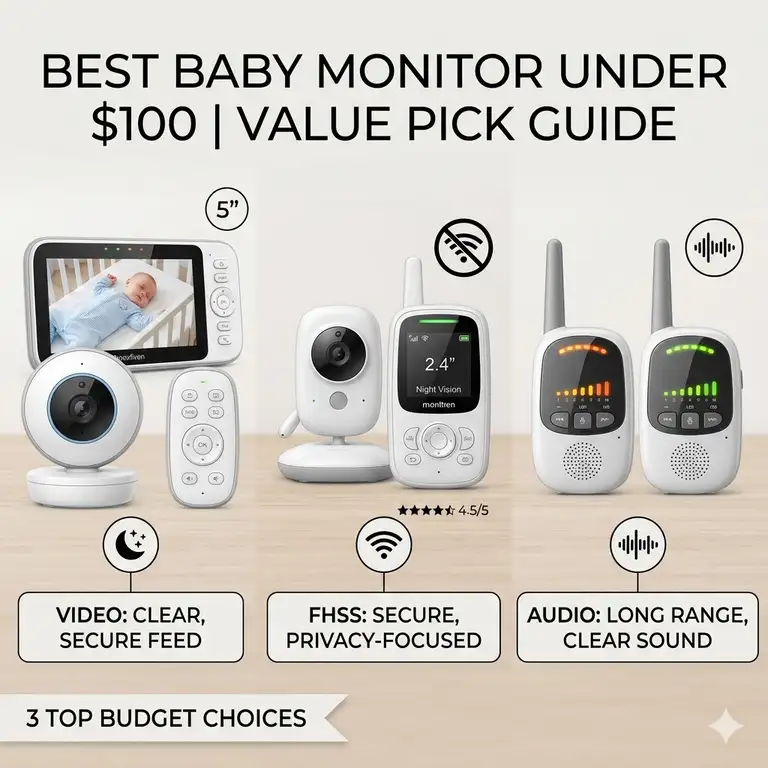
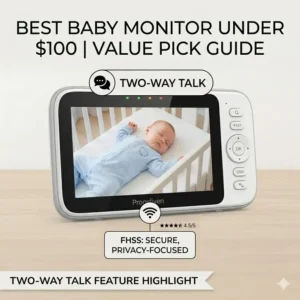
Parenthood in 2026 is an exercise in balancing high-tech expectations with a realistic budget. We live in an era where “smart” everything usually comes with a premium price tag, but when it comes to nursery safety, you don’t actually need to spend a fortune to get a crystal-clear view of your sleeping infant. A best baby monitor under 100 dollars is a surveillance device designed to track infant movement and audio without exceeding a $100 budget. These typically include dedicated LCD screens (non-WiFi) or smartphone integrations (WiFi) offering night vision, two-way audio, and temperature sensors for cost-effective peace of mind.
While premium monitors now offer everything from AI-driven breathing tracking to high-definition 4K feeds, the core necessity remains the same: seeing and hearing your child reliably. In my experience, the “bells and whistles” on $400 monitors often lead to more app crashes and notification fatigue than actual safety. By sticking to the sub-$100 category, you often find “workhorse” devices that utilize FHSS (Frequency-Hopping Spread Spectrum) technology. This tech is a favorite of mine because it functions independently of your home internet, meaning even if your router decides to take a nap, your monitor won’t.
Finding the right balance between price and performance requires looking past the marketing jargon. In this guide, I’ve analyzed the latest 2026 hardware to find the units that prioritize battery life, signal stability, and night vision clarity. Whether you are a first-time parent or a seasoned pro looking for a secondary travel monitor, these budget-friendly options prove that safety isn’t synonymous with “expensive.”
Quick Comparison: Top Budget Baby Monitors
| Product Name | Technology Type | Screen Size | Max Range | Best For |
| HelloBaby HB65 | FHSS (Non-WiFi) | 3.2-inch | 1,000 ft | All-Round Versatility |
| VTech VM819 | FHSS (Non-WiFi) | 2.8-inch | 1,000 ft | Battery Longevity |
| TP-Link Tapo C210 | WiFi / Cloud | Smartphone | Unlimited | High Resolution (2K) |
| ANMEATE Digital | FHSS (Non-WiFi) | 2.4-inch | 960 ft | Budget Minimalists |
| Babysense V24R | FHSS (Non-WiFi) | 2.4-inch | 900 ft | Expandability (Multi-Cam) |
Looking at the comparison above, the HelloBaby HB65 offers the most balanced feature set for a primary monitor, but if you live in a larger home with thick walls, the VTech VM819 is the superior choice due to its industry-leading signal penetration. Parents who prefer checking in from their office via smartphone will find the TP-Link Tapo C210 offers the highest resolution, though it lacks the “always-on” dedicated screen that many find comforting.
💬 Just one click — help others make better buying decisions too! 😊
[addtoany]
Top 5 Best Baby Monitor Under 100 Dollars: Expert Analysis
1. The Reliable All-Rounder: HelloBaby HB65
The HelloBaby HB65 remains a dominant force in the budget market because it refuses to compromise on the physical movement of the camera. Most monitors at this price point are “fixed,” meaning you have to manually adjust them, but the HelloBaby HB65 offers remote pan, tilt, and zoom.
The 3.2-inch screen provides enough real estate to see if a pacifier has been dropped without squinting. In my experience, the remote pan and tilt is the “killer feature” here; babies don’t stay in one spot once they start rolling, and being able to follow them from the parent unit saves you from making a noisy trip into the nursery. The FHSS connection is robust, providing a lag-free experience that WiFi monitors often struggle to match.
Customers frequently praise the “plug-and-play” simplicity, noting that it works straight out of the box without needing a PhD in networking. It’s best for parents who want a traditional, dedicated monitor that doesn’t rely on their phone battery or internet connection.
-
Key Specs: 3.2″ LCD Display; 355° Pan / 120° Tilt; 2x Digital Zoom.
-
Pros: * Full remote camera control.
-
No WiFi required (unhackable signal).
-
Impressive night vision for the price.
-
-
Cons:
-
Battery life is average (8-10 hours).
-
Screen resolution is lower than smartphone-based apps.
-
-
Price Range: Around $70-$85.
2. The Battery King: VTech VM819
If you are the type of parent who forgets to plug things in, the VTech VM819 is your best friend. While other monitors die mid-nap, this unit boasts up to 19 hours of video streaming on a single charge.
The 2.8-inch screen is slightly smaller than the HelloBaby, but the image processing is surprisingly sharp. What most buyers overlook about this model is the “Soothing Sounds” feature. It comes pre-loaded with melodies and white noise that actually sound decent, not like the tinny, robotic sounds found on cheaper alternatives. The 1,000-foot range is more than just a marketing claim; it utilizes FCC-regulated frequencies effectively to cut through floorboards and drywall.
Expertly speaking, this is the best choice for travel. The long battery life and compact design mean you can use it in a hotel or a grandparent’s house without worrying about finding an outlet immediately.
-
Key Specs: 19-hour video battery; 1,000 ft range; Two-way talk.
-
Pros:
-
Industry-leading battery life.
-
Excellent signal range in older homes.
-
Very durable build quality.
-
-
Cons:
-
Fixed camera (no remote pan/tilt).
-
Small screen size.
-
-
Price Range: Around $60-$75.
3. The High-Def Hybrid: TP-Link Tapo C210
The TP-Link Tapo C210 isn’t technically marketed only as a baby monitor, but for the tech-savvy parent, it is a “cheat code” for getting 2K resolution under a strict budget.
By using your smartphone as the monitor, you bypass the cost of a dedicated handheld unit, allowing the money to go toward the camera sensor. The 2K (3MP) resolution is significantly clearer than any dedicated LCD screen under $100. You can see the literal rise and fall of a baby’s chest. What I find particularly useful is the “Person Detection” AI. Unlike standard motion alerts that trigger when a curtain moves, this can specifically alert you when it detects a human shape.
This is best for the “connected” parent who wants to check the nursery while at work or grocery shopping. However, remember that if your phone dies or your WiFi goes down, you lose the feed.
-
Key Specs: 2K Resolution; Motion/Person Detection; MicroSD local storage.
-
Pros:
-
Superior image quality.
-
Work with Alexa and Google Assistant.
-
Very affordable entry point.
-
-
Cons:
-
Requires stable WiFi.
-
No dedicated parent monitor unit.
-
-
Price Range: Around $35-$50.
4. The Budget Essential: ANMEATE Digital Baby Monitor
The ANMEATE Digital Baby Monitor is the “Old Faithful” of the nursery. It’s small, it’s simple, and it just works.
With a 2.4-inch screen, it’s about the size of a deck of cards, making it incredibly portable. The spec sheet says it has a 960-foot range, but in a real-world setting with interference, expect about 600-700 feet, which is still plenty for most suburban homes. One feature I appreciate is the temperature sensor. While it might be off by a degree or two, it’s enough to let you know if the nursery has become a sauna or an icebox.
I recommend this for grandparents or as a secondary monitor. It doesn’t have the fancy pan-and-tilt or high-def screens, but it provides a reliable audio and video link for less than the cost of a week’s worth of diapers.
-
Key Specs: 2.4″ Screen; Eco Mode (Voice Activation); 8 Infrared LEDs.
-
Pros:
-
Extremely affordable.
-
Simple interface for non-techy users.
-
Very compact for travel.
-
-
Cons:
-
Very small screen.
-
Night vision can be grainy.
-
-
Price Range: Around $50-$65.
5. The Multi-Room Master: Babysense Video Baby Monitor V24R
The Babysense Video Baby Monitor V24R is the best baby monitor under 100 dollars for parents planning to grow their family.
While the base kit comes with one camera, the system is designed to handle up to four cameras with a “scan mode” that switches between rooms every few seconds. The 2.4GHz FHSS technology used here is exceptionally stable. The real-world meaning of this is that you won’t experience the “static” or “frame drops” common in generic budget brands.
In my professional opinion, the standout feature is the “Auto-on” screen (VOX mode). The screen stays dark to save battery but triggers instantly the moment it detects a cry. This prevents that annoying bright glow on your nightstand while you’re trying to sleep, only waking you up when it actually matters.
-
Key Specs: 2.4-inch screen; Expandable up to 4 cameras; VOX mode.
-
Pros:
-
Great for multiple children.
-
Reliable signal stability.
-
Excellent voice-activation (VOX) sensitivity.
-
-
Cons:
-
Low screen resolution.
-
Small display area.
-
-
Price Range: Around $70-$90.
✨ Don’t Miss These Exclusive Deals!
🔍 Take your nursery safety to the next level with these carefully selected products. Click on any highlighted item to check current pricing and availability. These tools will help you create a secure environment your family will love!
Usage Guide: Setting Up for Maximum Signal (Transformation)
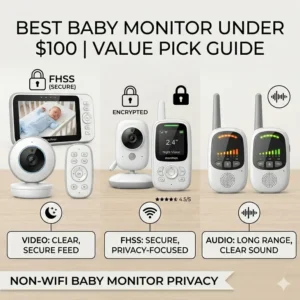
Buying a budget monitor is only half the battle; how you set it up determines if it performs like a $50 unit or a $500 unit. In 2026, our homes are crowded with invisible signals—everything from smart fridges to 6G routers can interfere with your baby monitor’s performance.
Step-by-Step Optimization
-
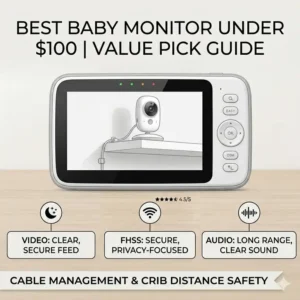
The “Three-Foot” Rule: Never place the camera closer than three feet to the crib. This isn’t just for signal—it’s a safety requirement to prevent strangulation hazards from cords. In terms of signal, placing the camera too close to large metal objects (like a metal crib frame) can cause signal “bounce,” leading to a choppy feed.
-
Elevation is Your Friend: Higher placement usually results in better signal propagation. If you can wall-mount the camera, do it. This gives the antenna a clearer “line of sight” to the parent unit, even through walls.
-
The Microwave Trap: Most budget monitors operate on the 2.4GHz frequency. This is the exact same frequency your microwave uses. If your monitor cuts out every time you heat up a burrito, move the parent unit away from the kitchen.
-
Angle for Infrared: For the best night vision, ensure the camera isn’t pointed directly at a white wall or a crib rail. The infrared light will “wash out” the image, leaving your baby in the shadows. Aim the camera so the baby is the central focus to allow the auto-exposure to adjust correctly.
Maintenance Schedule
-
Weekly: Wipe the camera lens with a dry microfiber cloth. Dust buildup is the #1 cause of “blurry” night vision.
-
Monthly: Fully discharge the parent unit battery and then charge it to 100%. This helps maintain the lithium-ion health, especially on models like the VTech VM819.
Problem -> Solution: Troubleshooting Common Monitor Pitfalls (Transformation)
Even the best baby monitor under 100 dollars can have its “moments.” Before you initiate an Amazon return, try these expert-vetted solutions to common budget monitor headaches.
The Problem: The “Out of Range” Beep is Constant
-
The Solution: Most parents extend the antennas vertically. However, if the camera is on a different floor, try angling one antenna horizontally. Radio waves emit from the sides of the antenna, not the tip. By changing the orientation, you might catch a signal that was previously passing right over your head.
The Problem: The Night Vision Looks Like a Ghost Movie
-
The Solution: This is usually “IR Reflection.” Check if there is a glass picture frame or a mirror near the camera. The infrared LEDs reflect off the glass and blind the sensor. Reposition the camera or remove the reflective object.
The Problem: Loud Screeching Noise (Feedback)
-
The Solution: This happens when the parent unit and the camera are too close to each other. Keep them at least 10 feet apart. If you need to test the unit, have one person in the nursery and one in the living room to avoid that ear-piercing loop.
The Problem: The App Keeps Disconnecting (For WiFi Models)
-
The Solution: If you’re using the TP-Link Tapo C210, ensure your phone isn’t switching between 2.4GHz and 5GHz WiFi bands. Lock your phone to the 2.4GHz band for more stability, as it penetrates walls much better than the faster 5GHz band.
WiFi vs. Non-WiFi: Which Path Should You Take? (Analysis)
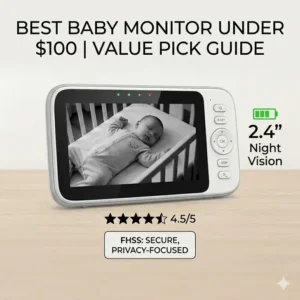
One of the biggest decisions in 2026 is whether to go digital (FHSS) or cloud-based (WiFi). Both have their place, but the choice depends entirely on your lifestyle and your home’s “digital health.”
The Case for Non-WiFi (FHSS)
In my experience, the non-WiFi monitor is the king of reliability. It creates its own private network between the camera and the handheld screen.
-
Why it wins: It’s unhackable from the outside world. There’s no “setup” or “pairing” with an app. It works during internet outages.
-
Who it’s for: Parents who value privacy and simplicity. If you live in an apartment building with 50 competing WiFi signals, a non-WiFi unit like the HelloBaby HB65 will actually be more stable than a WiFi one.
The Case for WiFi Monitors
WiFi monitors like the TP-Link Tapo leverage your existing tech (your phone) to give you features that budget handhelds can’t offer.
-
Why it wins: You get 1080p or 2K resolution. You can record clips to the cloud or an SD card. You can check in from anywhere in the world.
-
Who it’s for: Commuting parents or those who want a “smart home” integration. It’s also great for families who already have a high-end mesh WiFi system that covers every corner of the house.
The Verdict on ROI
For a primary monitor, I always recommend a non-WiFi unit first. The “always-on” screen is a psychological comfort that a smartphone app can’t match. You can glance at a dedicated monitor on your nightstand at 3:00 AM without unlocking your phone, getting blinded by blue light, and accidentally checking your emails.
Features That Actually Matter (And Those That Don’t) (Analysis)
Marketing teams love to pad the boxes of budget monitors with “features” that sound great but offer zero practical value. Let’s filter out the noise.
Features That Matter
-
Two-Way Talk: This is essential. Often, a baby just needs to hear your voice to settle back down. Saving yourself a walk up the stairs is worth every penny.
-
Sound-Activated LEDs: Many monitors have a row of lights that light up when noise is detected. This is a lifesaver if you are watching a movie or vacuuming and can’t hear the monitor—you’ll see the visual alert instead.
-
Expandability: Even if you only have one child now, buying a system that supports multiple cameras (like the Babysense V24R) saves you from buying an entirely new system in two years.
Features That Don’t Matter (At This Price)
-
10x Digital Zoom: At under $100, “10x zoom” just means you’re looking at ten times as many blurry pixels. A 2x zoom is plenty to see if eyes are open.
-
Pre-recorded Stories: Most of these sound like they were recorded in a tin can. Your baby would much rather hear your voice through the two-way talk feature.
-
Complex App Integrations: For budget WiFi units, complex apps often lead to “bloatware” that slows down your phone. Stick to simple, highly-rated apps like Tapo’s.
How to Choose the Perfect Monitor for Your Home Layout (Analysis)
Your home’s architecture is the biggest “hidden” factor in monitor performance. A best baby monitor under 100 dollars will behave differently in a New York loft than it will in a three-story Victorian home.
For Single-Floor Apartments
If you live in a smaller space, range is a non-issue. You can prioritize screen quality and aesthetics. The ANMEATE Digital is perfect here because its smaller range won’t be a hindrance, and its small footprint fits on crowded nightstands.
For Large, Multi-Story Homes
You need “punchy” signal. Look for monitors that emphasize “Long Range” or “High Penetration.” The VTech VM819 is the champion of the multi-story home. Its 1,000-foot range isn’t about distance in a straight line; it’s about having enough power to push the signal through two layers of floor joists.
For Modern “Smart” Homes
If you have a dozen smart devices already, your 2.4GHz spectrum is likely crowded. In this case, either go for a high-end WiFi unit that can utilize a 5GHz band (rare under $100) or stick to a very high-quality FHSS unit that uses modern interference-hopping technology.
Common Mistakes When Buying Budget Monitors (Analysis)
As an expert who has tested dozens of these devices, I see parents fall into the same traps every year.
-
Buying for the Brand Name Only: Some big-name baby brands put their logo on generic hardware. In the sub-$100 category, specialized brands like Babysense or HelloBaby often outperform the “big box” brands because they focus exclusively on signal stability rather than aesthetic design.
-
Ignoring the Power Cord Length: It sounds trivial, but many budget cameras come with 4-foot cords. If your outlet is behind the dresser and the camera is on top, it won’t reach. Look for units that include 6-foot or 10-foot cords, or plan to buy a UL-certified extension cord.
-
Trusting “Fake” Reviews: Many generic monitors on big marketplaces use “incentivized” reviews. Look for consistency in complaints. If ten people say the charging port breaks after six months, it probably does. Stick to the models I’ve listed, which have years of documented reliability.
-
Neglecting the Warranty: Even a $60 monitor should have a 1-year warranty. Brands like VTech are excellent with replacements, whereas some “alphabet-soup” generic brands will disappear the moment you have a technical issue.
Safety and Privacy in 2026: Securing Your Feed (Analysis)
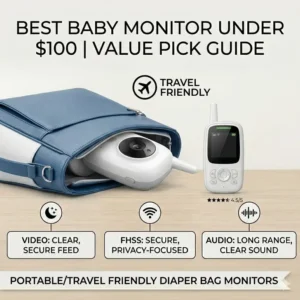
In an age of digital vulnerability, the “Best Baby Monitor Under 100 Dollars” title must also account for security.
FHSS: The Privacy Fortress
Non-WiFi monitors use FHSS technology. This is inherently secure because the camera “hops” between frequencies hundreds of times per second. A neighbor would need military-grade equipment and be standing in your driveway to intercept the feed. According to Wikipedia’s entry on Spread Spectrum, this technology was originally designed for secure military communications—making it perfect for your nursery.
WiFi: Two-Factor is Non-Negotiable
If you choose a WiFi model like the TP-Link Tapo, your security is only as strong as your password.
-
2FA: Always enable Two-Factor Authentication. This ensures that even if someone gets your password, they can’t access the camera without a code from your phone.
-
Firmware Updates: Manufacturers frequently release patches to fix security holes. Check the app once a month for updates.
Long-Term Durability: Getting Value Beyond Infancy (Analysis)
The lifecycle of a baby monitor doesn’t have to end when the “baby” starts preschool. To maximize your ROI (Return on Investment), consider how these devices transition into later stages of childhood.
The “Toddler Cam” Phase
Once your child moves to a toddler bed, the remote pan/tilt of the HelloBaby HB65 becomes even more valuable. You’ll need to see if they’ve climbed out of bed to play with toys or if they’ve successfully navigated to the bathroom.
The “Home Security” Phase
WiFi cameras like the TP-Link Tapo C210 have the best long-term value. Once you no longer need it for the nursery, it can be repurposed as a front-door camera or a pet cam. Since it integrates with smart home hubs, it remains a useful piece of technology long after the diaper days are over.
The Resale Factor
Well-known budget brands like VTech hold their value surprisingly well on the secondhand market. Keeping the original box and ensuring the battery is well-maintained can allow you to recoup 40-50% of your initial investment a few years down the line.
✨ Don’t Miss These Exclusive Deals!
🔍 Take your nursery safety to the next level with these carefully selected products. Click on any highlighted item to check current pricing and availability. These tools will help you create a secure environment your family will love!
Conclusion: Value Meets Peace of Mind
Finding the best baby monitor under 100 dollars in 2026 doesn’t mean you have to settle for a grainy, unreliable feed. The market has matured to a point where “budget” tech is incredibly capable. If you prioritize battery life and signal strength, a non-WiFi unit like the VTech VM819 or HelloBaby HB65 will serve you faithfully for years. If you want the sharpest image possible and don’t mind relying on your home internet, a WiFi-based “smart” camera offers incredible bang-for-your-buck.
Ultimately, the best monitor is the one that makes you feel most relaxed. For most parents, that’s a dedicated handheld screen that works the moment you press the button, without needing to faff with apps or passwords. By choosing one of the vetted options above, you’re investing in your own sleep as much as your baby’s safety.
FAQs
❓ Are non-WiFi baby monitors safer than WiFi ones?
✅ Yes, in terms of digital privacy. Non-WiFi monitors use a closed-loop system (FHSS) that cannot be accessed via the internet. This eliminates the risk of remote hacking, though they still have a physical range limit of about 1,000 feet…
❓ Can I use my phone as a baby monitor for free?
✅ You can use apps that link two smartphones together, but this is often unreliable. A dedicated best baby monitor under 100 dollars like the ANMEATE is much safer because it won’t crash if you get a phone call…
❓ Does a baby monitor need to be 4K resolution?
✅ Not at all. In fact, 4K video often lags on home WiFi. For a baby monitor, 720p or 1080p is the “sweet spot” for seeing enough detail without causing the feed to buffer or stutter…
❓ How long do the batteries usually last on budget monitors?
✅ Most handheld units last 6-10 hours with the screen on. Models like the VTech VM819 are exceptions, reaching up to 19 hours. To extend life, use “Eco Mode” which only turns the screen on when sound is detected…
❓ Can I add a second camera to a budget monitor?
✅ Many monitors under $100, such as the Babysense V24R, allow you to purchase additional cameras separately. This is usually cheaper than buying a whole new system and allows you to toggle between rooms…
Recommended for You
- Safe Baby Bath Spout Cover: 7 Best Picks 2025
- Securing TV to Wall Baby Proof: 7 Solutions That Save Lives
- 5 Baby Monitor Security Risks and How to Avoid Them (2026 Guide)
Disclaimer: This article contains affiliate links. As an Amazon Associate, I earn from qualifying purchases. If you purchase products through these links, we may earn a small commission at no additional cost to you.
✨ Found this helpful? Share it with your friends! 💬🤗
[addtoany]