
BabyGearLab’s testers measured the VTech VM819 at 174 feet through seven walls, against a claimed 1,000. That gap between the box and the hallway is the most useful thing to know before shopping for baby monitors in 2027, because it changes which type you buy long before it changes which brand.
Range and battery numbers below are BabyGearLab’s own measurements, the cord and recall points trace to Consumer Product Safety Commission (CPSC) notices, and the SIDS guidance comes from a Mayo Clinic page; whatever a maker only claims is labeled as a claim. The plan: pick the signal path first, then range, then battery, then placement and security, and only then a model.
Start here: three kinds of baby monitors and the house each one suits
A closed-loop video monitor pairs a camera with a handheld screen over a private radio link (FHSS or DECT), so nothing touches the internet. Malwarebytes points out that this is not the same as unhackable, but an intruder would have to be physically close to your home. The trade is fewer features: no phone alerts when you are out, and a signal that must fight your walls.
A Wi-Fi monitor sends video to your phone. BabyGearLab’s best-baby-monitor guide says that suits large homes and parents who want to check in from elsewhere, and the setup then depends on accounts, apps, and your network’s health. That is why the baby monitor hack risks list further down is mostly about connected models. Hybrids split the difference: a handheld unit that works locally, with Wi-Fi as an option.
Audio-only monitors are cheapest and simplest. BabyGearLab even recommends pairing a Wi-Fi video monitor with a sound monitor as a backup, since sound units keep working when the internet does not.
My starting point for most houses would be a hybrid, because it handles both the wall problem and the privacy question. A strict no-internet household is better served by a closed-loop model, and anyone who wants sleep analytics accepts a Wi-Fi camera and a subscription in return. The method below explains why.
A method for choosing baby monitors that survives your walls
What baby monitors reviews agree on (and where they split)
Published tests agree on three things. First, no single model wins for every family: Fathercraft’s long roundup says so outright and sorts its picks by parent type, naming the Nanit Pro for sleep data, the Eufy Baby Monitor E21 for most people, and the VTech Advanced HQ Max as its non-Wi-Fi choice. Second, range claims on boxes are unreliable, which BabyGearLab repeats on its best-of page. Third, price predicts little. BabyGearLab’s list of the best baby monitors runs from a budget sound unit to a premium Wi-Fi system, and Consumer Reports’ testers say cost and performance showed little correlation and that a solid pick exists under $100.
Where baby monitors reviews split is over Wi-Fi extras. Fathercraft scores the Nanit Pro highly for its camera and analytics, while BabyGearLab ranks the Nanit Pro bundle third of seven in its review set and concludes most families probably do not need it. Both can be right: the first reviewer values the data, the second weighs the cost and the wearable band. Decide which side you are on before comparing specifications.
The best baby monitor for a large house is decided by walls, not feet
Three separate BabyGearLab reviews show the same pattern. The Infant Optics DXR-8 Pro claims 1,000 feet but showed spotty connection near 500 feet in the open and held about 70 feet through five walls indoors. The Eufy Baby Monitor E21 claims 800 feet and measured about 175 feet through eight walls. The VTech VM819 claims 1,000 and measured 174 feet through seven walls. Different monitors, same lesson: expect a fraction of the claim once drywall, studs, and floors get involved.
BabyGearLab’s guidance for big homes is concrete. If you have more than roughly four or five walls between rooms, you will probably need a Wi-Fi option. Wi-Fi viewing then depends on how well your router reaches the nursery, so a mesh node or a camera placed near a strong signal matters more than any spec.
Owners report the same thing from the other side. One Mumsnet thread has a parent who moved into a thick-walled house calling the signal merely “not perfect” even on a better unit than their last one, and Fathercraft’s reviewer found the Babysense HD S2 lost its link with each wall between camera and handheld. Treat those as single reports; the pattern across BabyGearLab’s tests is the sturdier evidence.
For a far-off room where picture matters less, the VTech DM1211 is BabyGearLab’s pick for best sound monitor and the best range among the non-Wi-Fi options, though the testers flag a limited power source. Whatever you buy, test it on day one from the farthest chair you will realistically sit in, and use the return window if it stutters. BabyGearLab says exactly that, and checking the window before you buy costs nothing.
Which batteries last longest in baby monitors? Read tested hours, not promised ones
Nearly every video parent unit now has a built-in rechargeable lithium-ion pack rather than AA cells. The more useful comparison is what the packs delivered in testing, and the spread is wide.
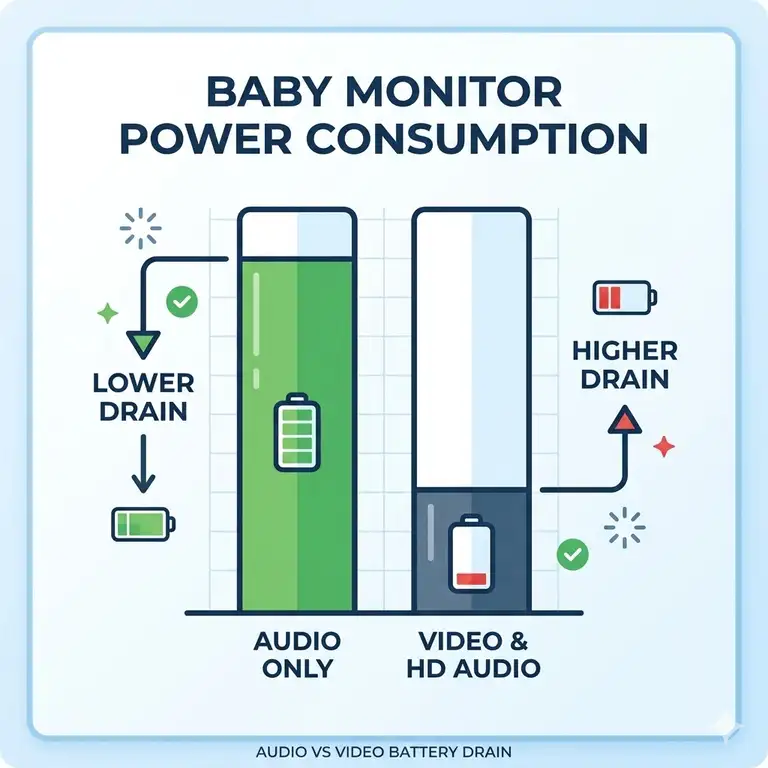
BabyGearLab logged 19 hours 33 minutes on the VTech VM819, slightly above its 19-hour claim. The Eufy Baby Monitor E21 lasted 8 hours 52 minutes against a 12-hour claim, at full brightness with the screen on and 50% volume. The Infant Optics DXR-8 Pro matched its six-hour screen-on claim, which BabyGearLab notes is below the roughly ten-hour average of its comparison group. UK consumer group Which? reached a similar conclusion years ago: parent units averaged under ten hours, audio monitors lasted longer than video, and the shortest battery life came from one of the most expensive models it tested.
No source read for this guide compares battery chemistries head to head, so the dependable rule is the tested number. Prefer units that run all night on their dock even when the pack has aged, and screen-off or sound-only modes help when you carry the handheld around. A battery-focused blog argues that parent units parked on a charger all day wear their cells faster, which is plausible but a single voice.
A charging warning belongs here too. CPSC’s February 2026 notice covers about 81,800 Babysense Max View monitors, whose handheld display can overheat or spark while charging, and tells owners to stop using the display unit and request a free replacement. Check any monitor you own or buy against the CPSC recall notice before you charge it overnight.
Cords, placement, and the three-foot rule
CPSC’s wording is blunt: never place corded cameras within three feet of a crib. Its 2011 recall notice records two infant strangulation deaths tied to video-monitor cords, plus a near-strangulation of a 20-month-old, and says death reports linked to monitor cords had risen to seven by then. The advice covers wall-mounted cameras too.
CPSC’s page also says to keep every electrical cord out of reach, and CPSC’s companion safety alert adds never to put a monitor in a crib or on its rail. That points to a shelf or mount across the room with a short run to the outlet. BabyGearLab notes the floor stand sold with the Nanit Pro routes its cord away from the crib, which solves the geometry for parents with no good wall.
Baby monitor hack risks list, and what to do about each
Hacking stories are real, though not universal, and the risks are specific enough to list:
- Weak, default, or unchangeable passwords. Malwarebytes warns that some cheap devices ship with passwords that can never be changed, and those are probably posted online.
- Streams that are poorly protected in transit. The FTC’s TRENDnet case involved cameras, some sold for nurseries, that sent login details as readable text, and a hacker posted links to live feeds.
- Weak design across whole product lines. A 2015 Rapid7 test, reported by the Christian Science Monitor, found eight of nine Wi-Fi monitors earned an F and one a D.
- Cloud storage you did not ask for. Fathercraft reports that researchers found Eufy cameras uploading data to the cloud in 2022 despite a local-storage promise; the company settled with the New York Attorney General for $450,000 and says the issue is fixed.
- Outdated firmware and routers. A blogger whose monitor was hacked, as the Deseret News tells it, later found her router firmware was stale.
- Remote access you never use, which leaves a door open for nothing.
Defenses are dull and effective. Set a unique password the first day and enable two-factor login where the app offers it; BabyGearLab says the Nanit Pro app setup includes it. Keep firmware current, switch off remote access if you do not need it, and power the camera down when the baby is elsewhere. The Eufy Baby Monitor E21 has a privacy switch that cuts Wi-Fi for a local-only link. And if none of this appeals, choose a closed-loop model: Malwarebytes calls them not unhackable but practically limited to someone standing near your house.
What a monitor cannot do
Mayo Clinic’s community health page is direct: home heart and breathing monitors do not prevent SIDS. It notes that the FDA treats the Owlet as a wellness device, that studies have found frequent false alarms, and that relying on a monitor can lead families to skip other safe sleep steps. A healthy baby, it adds, does not need one unless a doctor recommends it.
Keep the camera for what it does well, which is letting you see and hear. The safe sleep basics stay the same: back to sleep, a firm flat mattress, and no soft items in the crib. If your pediatrician suggests monitoring for a medical reason, that is a separate conversation.
Baby monitor how long to use: an end date nobody sets for you
No official cutoff exists. A pediatrician quoted by Reviewed puts the average stopping age between two and four, Mumsnet parents describe anything from two to five, and a UK parenting site notes that neither the NHS nor other clinical bodies set rules for it. Tapo’s guide frames the signal as a child who sleeps through the night and can call out for help. Some families keep a basic audio unit longer for a toddler who wanders.
A simple test works: if you check the screen out of habit rather than to respond to something, it has stopped earning its place. Reusing the camera as a playroom check-in is one way to get more from it afterward.
Where a monitor disappoints after the box is open
Subscriptions arrive late. BabyGearLab says Nanit Pro sleep tracking, care logs, and more than two viewers need a paid plan, while Fathercraft lists its extra tiers at $120 and $300 a year. Fathercraft also reports that Miku moved breathing tracking behind a membership after an ownership change, so a feature you paid for at launch can become a monthly fee. Eufy’s optional cloud storage, per BabyGearLab, starts around $40 a year and is only needed for saved video.
Wearables get outgrown. The Nanit Pro breathing band must be worn, and BabyGearLab’s testers note that some babies resist it or escape it as they grow, which could shorten its useful life to under a year. That is one lab’s observation, but it matters if the band is the reason you are paying.
Pictures and sound can disappoint at the price. BabyGearLab found colors off on the Infant Optics DXR-8 Pro, with blues and purples nearly black and a darker screen than most rivals, while voices sounded tinny. The 480p camera on the VTech VM819 produced grainy, greenish daytime video. Retailer summaries paint a happier picture: Best Buy’s customer summary for the Infant Optics DXR-8 Pro praises picture, battery, and noise cancelling. When the two disagree, trust the measured number and the return window.
Recalls and notices get missed. The recall of the Babysense Max View above is one example, and it hit a model BabyGearLab’s reviewers had recommended over the Infant Optics DXR-8 Pro. Look the brand up in CPSC’s recall list before you plug in any secondhand monitor.
The best baby monitors for each job
Each pick below solves a different problem from the method above. The table pulls BabyGearLab’s measurements and cost notes together.
| Model | Connection | Measured range | Parent-unit battery tested | Ongoing costs |
|---|---|---|---|---|
| Infant Optics DXR-8 Pro | Closed-loop radio | About 70 feet, five walls | About 6 hours, screen on | None listed |
| Eufy Baby Monitor E21 | Local link or Wi-Fi | About 175 feet, eight walls | 8 hours 52 minutes | Optional cloud plans |
| Nanit Pro | Wi-Fi only | Depends on your Wi-Fi | No handheld; camera on mains power | Paid tiers for sleep data |
| VTech VM819 | Closed-loop radio | About 174 feet, seven walls | 19 hours 33 minutes | None listed |
The two closed-loop models bracket the field: the Infant Optics DXR-8 Pro costs the most for the least measured range, while the VTech VM819 gives the longest battery and a similar measured distance at a fraction of the cost. The hybrid and the Wi-Fi camera cost more because they add remote viewing, and that is the part a large house leans on. Prices below are ranges from the reviews; check the current price on Amazon.com for the model you shortlist.
1. Infant Optics DXR-8 Pro — closed-loop video with no app
Parents who refuse a camera on the home network have a clear option here: a 5-inch handheld screen, pan, tilt, and zoom controls, and no app or account. It is the step-one answer for anyone who wants video but not Wi-Fi, and BabyGearLab prices it around $200.
The lab results are less flattering. It scored 58 out of 100, with decent noise reduction and an easy setup but video that looked mediocre for the money and a battery that landed under the group average. Testers doubted parents would use the interchangeable lenses, and they preferred other models for less money, which is a fair warning given the roughly 70 feet it held through five walls. A retailer’s customer summary is warmer, so the verdict splits by what you value: privacy and simplicity against picture and endurance.
Current details are on the Amazon.com listing.
2. Eufy Baby Monitor E21 — hybrid screen with a Wi-Fi off switch
BabyGearLab ranks this model first of 13 with an overall score of 84 and calls it the best video monitor for most families. The handheld works without Wi-Fi, the app adds remote viewing when you want it, and a privacy switch cuts the camera back to a local-only link. BabyGearLab gives it a range score of 9.0, and the dedicated screen held about 175 feet through eight walls. The price is around $260, according to BabyGearLab.
Pros:
- ✅ Camera has a battery backup that covers a short power cut.
- ✅ Sharp video and a connection that works with or without Wi-Fi.
- ✅ Cloud storage is optional rather than required.
Cons:
- ❌ Feedback noise appears at high volume.
- ❌ The handheld sits in a charging base, so it is awkward to carry.
- ❌ The parent unit ran 8 hours 52 minutes, short of the 12-hour claim.
Fathercraft likes it for most people, with one caution: the 2022 cloud-upload finding described earlier. Eufy says it is fixed, and Fathercraft’s reviewer has not seen a new incident. Wi-Fi use needs the Eufy app and an account, and it runs on 2.4 GHz.
Compare the current options on Amazon.com.
3. Nanit Pro — camera-based breathing and sleep data
This is the model for parents who want data and are happy to pay for it. The camera needs power and Wi-Fi, tracks breathing motion through a patterned band the baby wears, and sits on a floor stand that keeps the cord away from the crib. Fathercraft rates the Nanit Pro highly and calls it its pick for sleep analytics, with video it describes as excellent. Prices run from about $290 to $400 for the floor-stand bundle, per Fathercraft and BabyGearLab.
BabyGearLab’s lab review is more guarded. It scored the bundle 72 and ranked it third of seven, saw no false breathing alarms, and found it worked better than the other camera-based vitals monitors it tried, yet concluded most families probably do not need it. The app asks for a baby’s name and gender, which one tester admitted entering falsely. Only one lab review of the floor-stand bundle was available, so check which camera generation your listing shows.
Fathercraft reports that the maker describes the Nanit Pro stream as AES-256 encrypted and saved to the cloud only on a paid Insights plan. The plan costs add up, as covered above, and the band may be outgrown within the first year.
4. VTech VM819 — endurance battery on a small budget
Battery life is its single standout. BabyGearLab measured 19 hours 33 minutes on the handheld, enough for a full night plus the next day without a charger, and it ranks the setup as plug-and-play simple. BabyGearLab priced it near $50.
Everything else is weak. The camera is manual with no remote control, video is 480p and grainy with washed-out night vision, and maximum volume is 69 dB, among the quietest tested. It scored 51 and ranked twelfth of 13, and BabyGearLab does not recommend it, suggesting the GoodBaby SM663 for basic monitoring instead. The range it held, 174 feet through seven walls, matched the far costlier hybrid, which makes it a reasonable second monitor for a basement or garage. It is a different product from the VTech Advanced HQ Max that Fathercraft prefers among non-Wi-Fi models.
Current availability and return terms are listed on Amazon.com.
Quick answers on baby monitors: hacking, SIDS, big houses, batteries, and age
❓ Can a baby monitor be hacked?
✅ Wi-Fi models can be, usually through weak or reused passwords, stale firmware, or poorly secured cloud accounts. Closed-loop radio monitors have no internet exposure, so an attacker would have to be physically close. Strong unique passwords, two-factor login, and updates cut the risk for connected cameras.
❓ Does a baby monitor reduce the risk of SIDS?
✅ No. Mayo Clinic says home heart and breathing monitors do not prevent SIDS and can create false security. Safe sleep steps matter more: back sleeping, a firm flat mattress, no soft items. Healthy babies need no vital-signs monitor unless a doctor recommends one.
❓ What is the best baby monitor for a large house?
✅ BabyGearLab's testers say homes with more than four or five walls between rooms probably need a Wi-Fi option. A hybrid that also works locally is a good compromise. Test range in the farthest room on day one, and return the monitor if the signal drops or stutters.
❓ Which batteries last longest in baby monitors?
✅ Most video handhelds use built-in rechargeable lithium-ion packs, so tested hours matter more than chemistry. BabyGearLab logged nearly 20 hours for one budget model and under nine for a premium hybrid, screens on. UK group Which? found averages under 10 hours.
❓ How long should you use a baby monitor?
✅ No official cutoff exists. A pediatrician quoted by Reviewed puts the average stopping age between two and four, while Mumsnet parents describe anything from two to five. Keep it while it helps you respond quickly, and retire it once it becomes habit rather than need.
Settling the decision this week
Decide the signal path first. If your house has few walls and you want no internet exposure, a closed-loop model covers it. If it has many walls or you want to check in away from home, choose a hybrid and lock it down with a unique password. In a big house, the Eufy Baby Monitor E21 is the one I would shortlist among the best baby monitors BabyGearLab tested, because it ranks first of 13 and works both locally and on Wi-Fi; the Infant Optics DXR-8 Pro suits strict no-internet households, and the VTech VM819 is the battery-first budget backup.
Whatever arrives, mount the camera more than three feet from the crib, look for recall notices on the brand, and test range from your farthest chair while the return window is open. The right pick is the one that still work in your hardest room at 3 a.m.
Open the Amazon.com listing for your shortlisted model and check its return window before you commit.
Recommended for You
- 7 Best Baby Monitor for Long Range Large House (2026 Reviews)
- Non toxic bug repellent for infants Made Simple: Steps and Tools
- Baby Monitor with Sound Alerts vs Motion Alerts: 5 Best Choices (2026)
Disclaimer: This post contains affiliate links. As an Amazon Associate, I earn from qualifying purchases made through these links, at no additional cost to you.
A quiet night is worth the hour you spend testing range before the baby arrives.